Keyscan Inc. A Member of the Kaba Group – CA8WL-AL Rev. B Installation Guide (07.15)
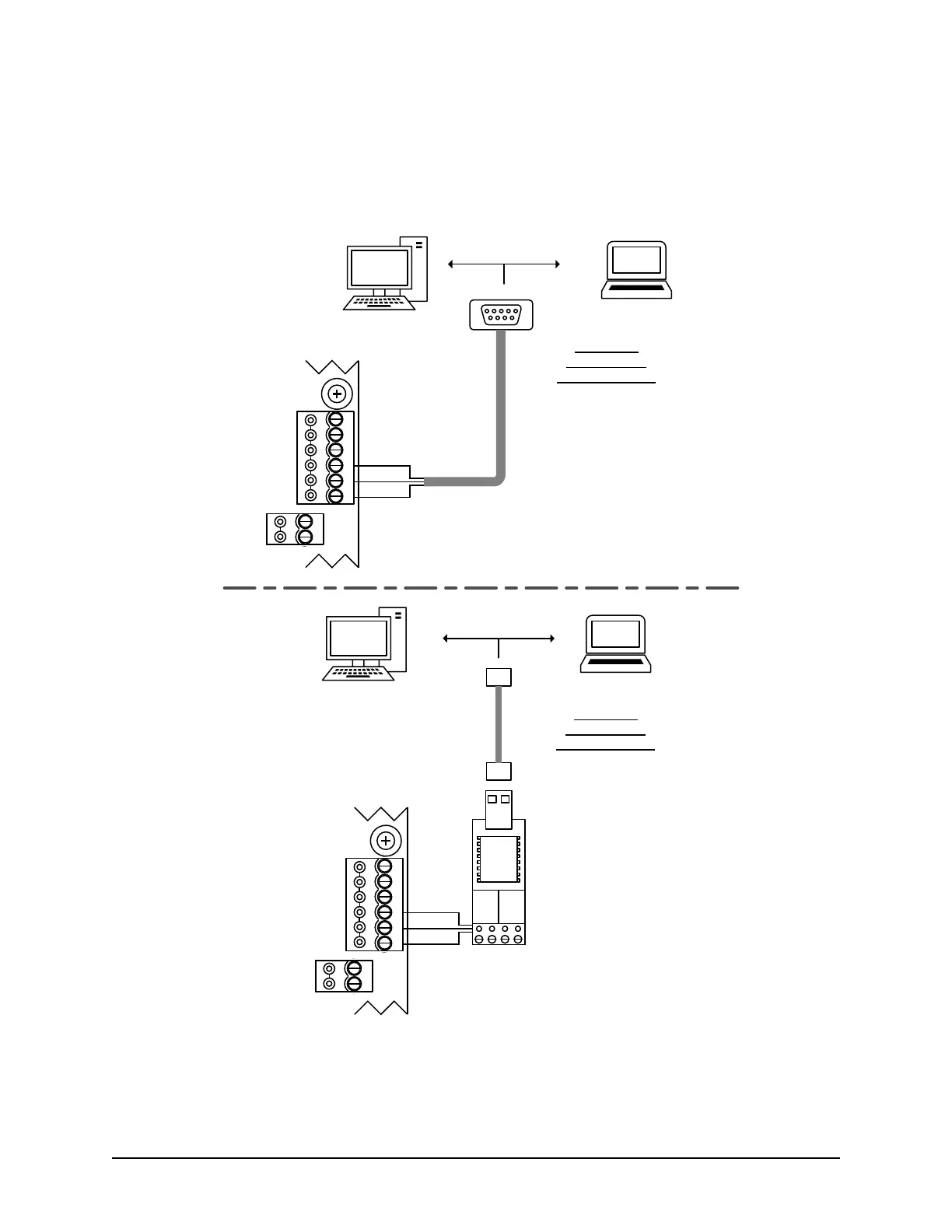
2. Connect the serial data cable from the PC/laptop to the RS-232 terminal on the CA8WL-AL as shown in the
following illustration.
If using Keyscan’s optional USB-SER Adaptor, you may also require a USB cable.
Figure 17 - Temporary Connection for Programming the Ethernet Module
3. Ensure that the CA8WL-AL’s system configuration DIP switches S1.10 and S1.11 are on.
4. Reset the CA8WL-AL control board by momentarily shorting system reset jumper J6.
5. Turn on the laptop or PC connected to the CA8WL-AL control board.
RS-485
A
B
RS-232
CTS
DTR
DCD
RD
TD
GND
to Com Port on PC or laptop
Isolate and tape unused
wires.
Temporary
programming
connection only.
Control Board
(PC 115x)
Green
Black
Red
KI-00406E-12-14
Use 3 loose
RS-232 wires.
BRN
WHT
GRN
WHT
+ TX - + RX -
485 OUT 485 IN
Serial Data Cable
with loose
conductors
RS-485
A
B
RS-232
CTS
DTR
DCD
RD
TD
GND
Control Board
(PC 115x)
Green
Black
Red
to Com Port on PC or laptop
Temporary
programming
connection only.
Serial
Programming
Connection
Serial
Programming
Connection
via optional
USB-SER
Adaptor
USB-SER Adaptor
USB Cable



 To Next Page