EasyManua.ls Logo

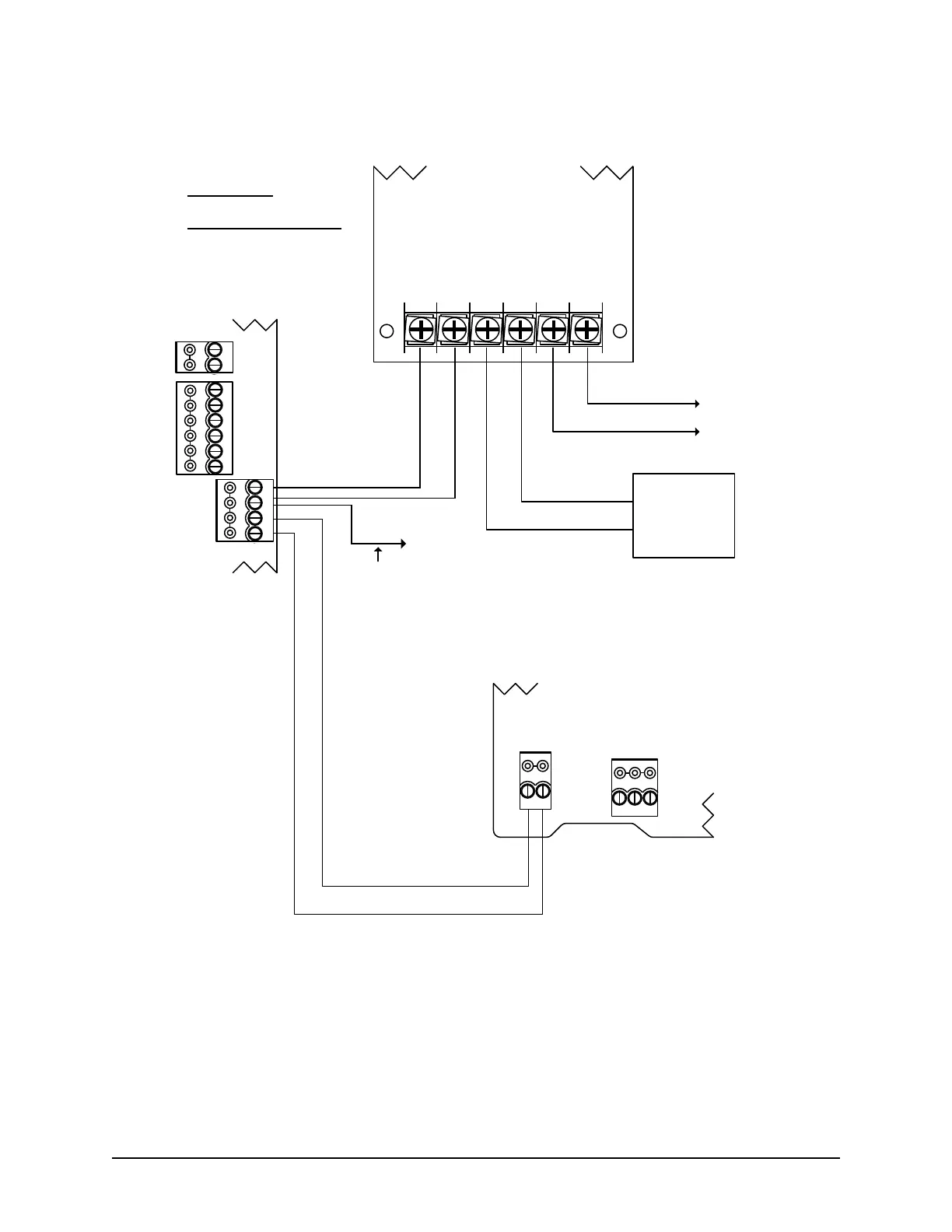
Keyscan CA8WL-AL - Figure 13 - Power Supply Connections

Default Icon
52 pages
Print Icon
To Next Page IconTo Next Page
To Previous Page IconTo Previous Page
Loading...
Keyscan Inc. A Member of the Kaba Group CA8WL-AL Rev. B Installation Guide (07.15)
28
Figure 13 Power Supply Connections
POWER
IN
OUT
-
+
-
+
DOOR
AUX.
N/C
(+)
COM
(-)
N/O
(+)
N/C
(+)
COM
(-)
N/O
(+)
RS-485
A
B
(+ 12 VDC)
CA8WL-AL Control Board
Cut View
+ DC - + BAT - AC AC
12V Backup
Battery
4 Ah
minimum
+
-
Red (+)
Black (-)
Red (+)
Black (-)
Cut View
Power Supply/Charger
Black
White
set power supply
to +12V DC
to AC transformer
to ACU ground lug
#18 AWG
Green*
KI-00529E-12-14
Current Draws
CA8WL-AL max. 200 mA
PIM400-485 max. 250 mA
Total current 450 mA
PIM400-485 may also be connected directly to
power supply’s DC (+) (-) terminals.
Use a power supply that
exceeds the total current
demand of all devices plus
an additional 20% reserve
capacity.
RS485
TDA TDBRDB
+ POWER -
Cut View of PIM-400
With front cover
removed
Red (+)
Black (-)

Table of Contents