1Introduction
24 Keysight E-Series E9300 Operating and Service Guide
Getting Started
Initial inspection
Inspect the shipping container for damage. If the shipping container or packaging
material is damaged, it should be kept until the contents of the shipment have
been checked mechanically and electrically. If there is mechanical damage, notify
the nearest Keysight Technologies office. Keep the damaged shipping materials (if
any) for inspection by the carrier and a Keysight Technologies representative. If
required, you can refer to the “Sales and Technical Support” on page 10
Checking power meter firmware and DSP revision
Before proceeding, first ensure your Keysight EPM series power meter has the
required firmware and DSP revisions (E4418B and E4419B only) for the correct
operation of your Keysight EPM series power meters.
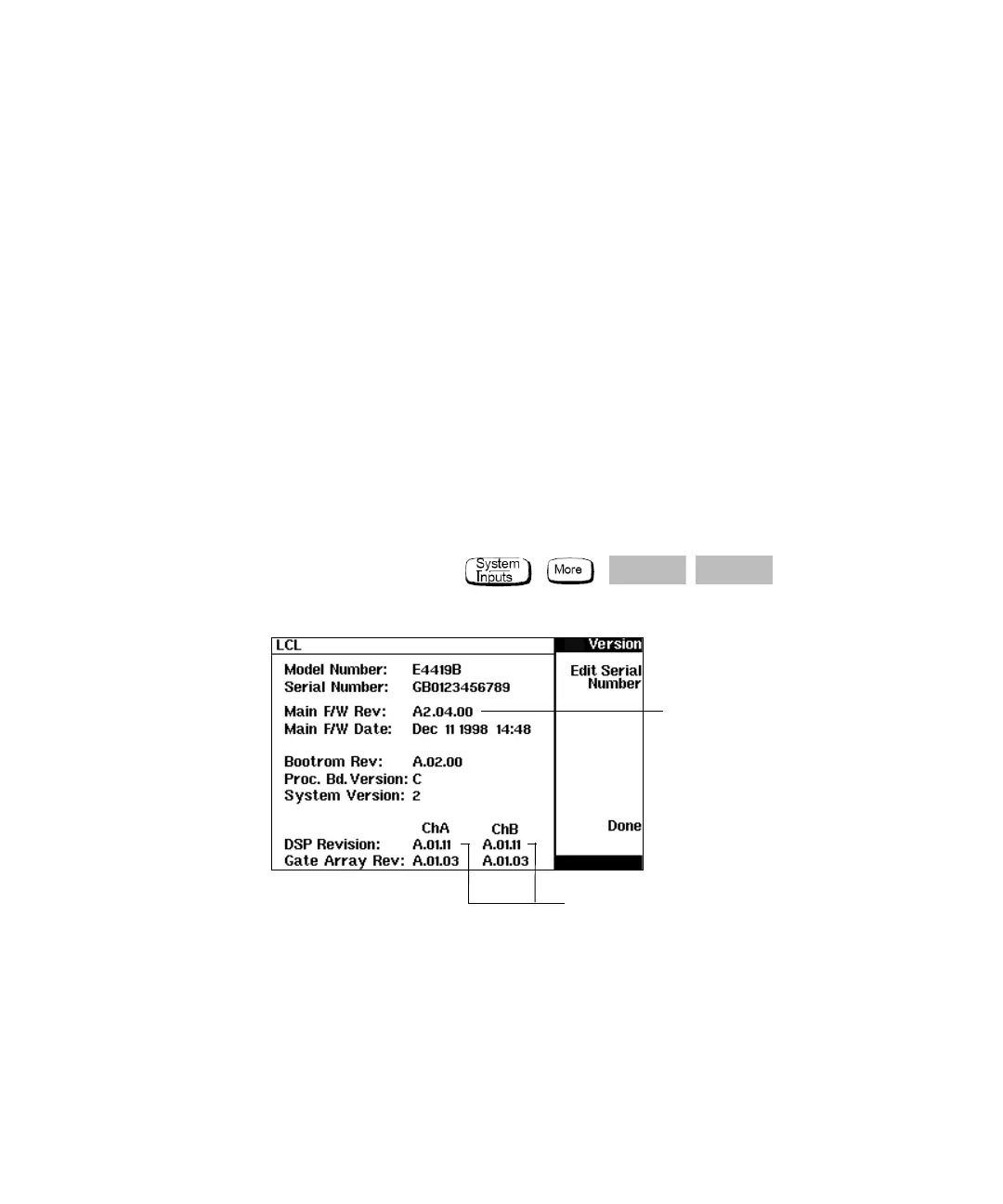
On the power meter press , , , .
Figure 1-3 Power meter firmware version screen
Firmware
Revision Code
(dual channel)
DSP Revision
Code



 To Next Page