Introduction 1
Keysight E-Series E9300 Operating and Service Guide 25
First check the section labelled DSP Revision:. Release A.01.11 or later is
required. If your power meter has an earlier release, please contact “Sales and
Technical Support” on page 10 to arrange an upgrade.
Next check the section labelled Main F/W Rev:. Release A1.04.00 or later is
required for single channel meters; release A2.04.00 or later is required for dual
channel meters. For E9300 power sensors with suffix ‘B’ or ‘H’, firmware revision
A1.06.00 or later is required for single channel meters; revision A2.06.00 or later is
required for dual channel meters. If your power meter has an earlier release,
please contact “Sales and Technical Support” on page 10 to arrange an upgrade.
Interconnections and calibration
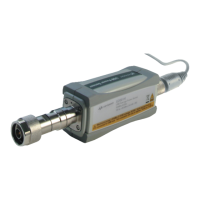
Connect one end of a Keysight 11730 series sensor cable to the Keysight E-Series
E9300 power sensor and connect the other end of the cable to the power meter’s
channel input. Allow a few seconds for the power meter to download the power
sensor’s calibration table.
You can carry out the firmware upgrade yourself if your power meter has the
required. Access http://www.keysight.com/find/powermeters and click on the
link:
“EPM Series E4418B Single-Channel Power Meter” or
“EPM Series E4419B Dual-Channel Power Meter”.
Click the “Software, Firmware and Drivers” link and follow the downloading
instructions.
The Keysight 9304A Sensor is DC coupled. DC voltages in excess of the
maximum value
(5 Vdc) can damage the sensing diode.
Ensure power sensors and cables are attached and removed in an indoor
environment.



 To Next Page