Troubleshooting 2
Network Analyzer 55
Windows XP Pro for Embedded Systems
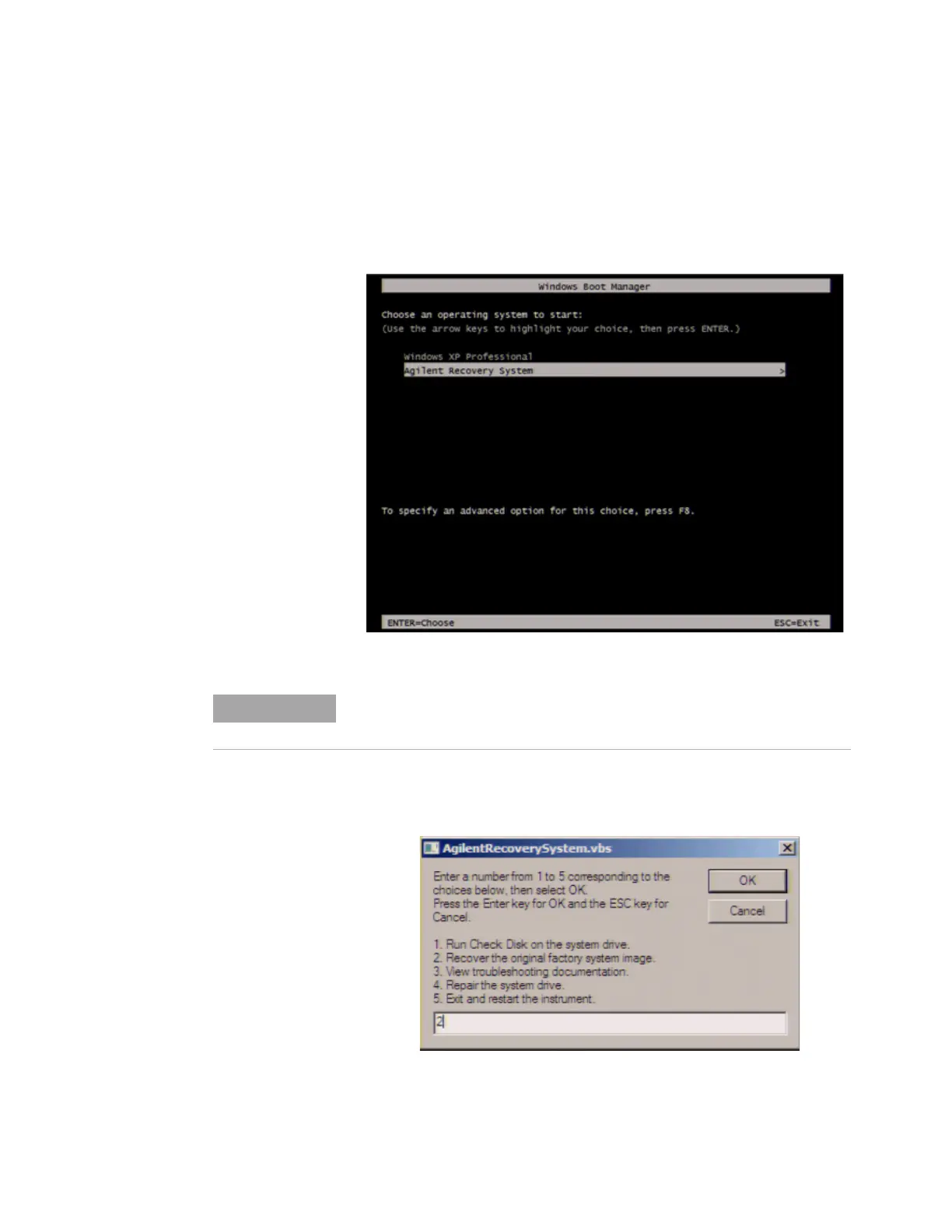
Step 5. When the screen as shown in the figure below
appears, select Keysight Recovery System and press
[Enter].
Step 6. Type 2 to select Recover Factory Backup Image
option and press [Enter].
Figure 24 Keysight Recovery System selection screen
After several seconds, the next screen appears automatically even if you
do not press any key.
Figure 25 System recovery selection screen













 To Next Page