10
Omni Wi-Fi IP Camera User’s Manual
Web Client
Device Basic Informaon
Select this menu opon to view the device informaon, customize the device name, and congure other general
sengs.
View the Device Informaon
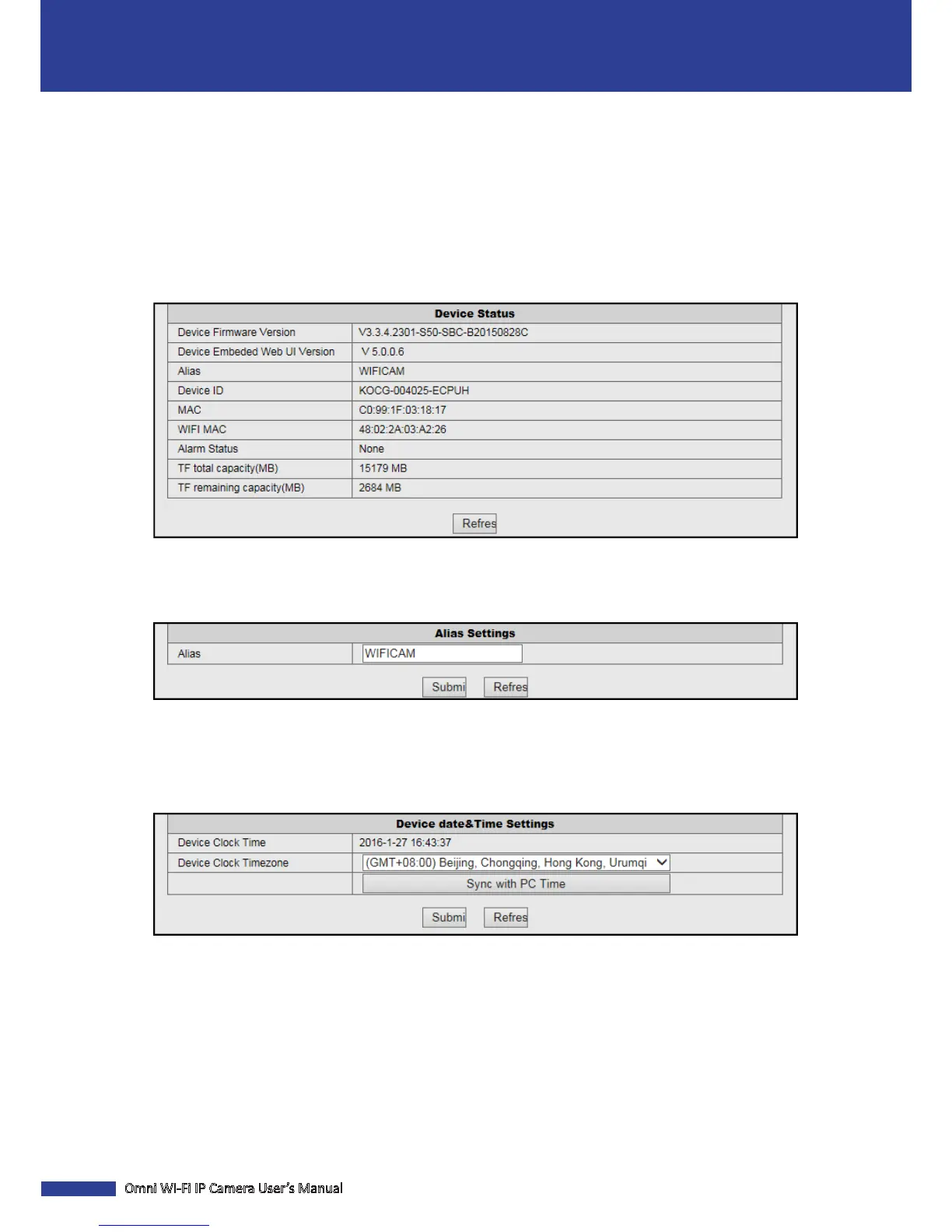
Click Device informaon to view the camera informaon including the rmware version, Web UI version, device name
and ID, MAC address, WIFI MAC address, alarm status, memory card total capacity, and available free space on the
memory card.
Change the Device Name
Click Alias Sengs to customize the camera name. Enter the new name in the Alias eld.
NOTE: The default device name is “WIFICAM”.
Adjust the Date & Time Sengs
Click Device date&Time Sengs to congure the date and me sengs.
Device Clock Time: Display the current date and me.
Device Clock Timezone: Select the me zone in your locaon.
Sync with PC Time: Click to synchronize the date and me sengs with your PC clock.


 To Next Page