Omni Wi-Fi IP Camera User’s Manual
11
Web Client
View the Record Schedule
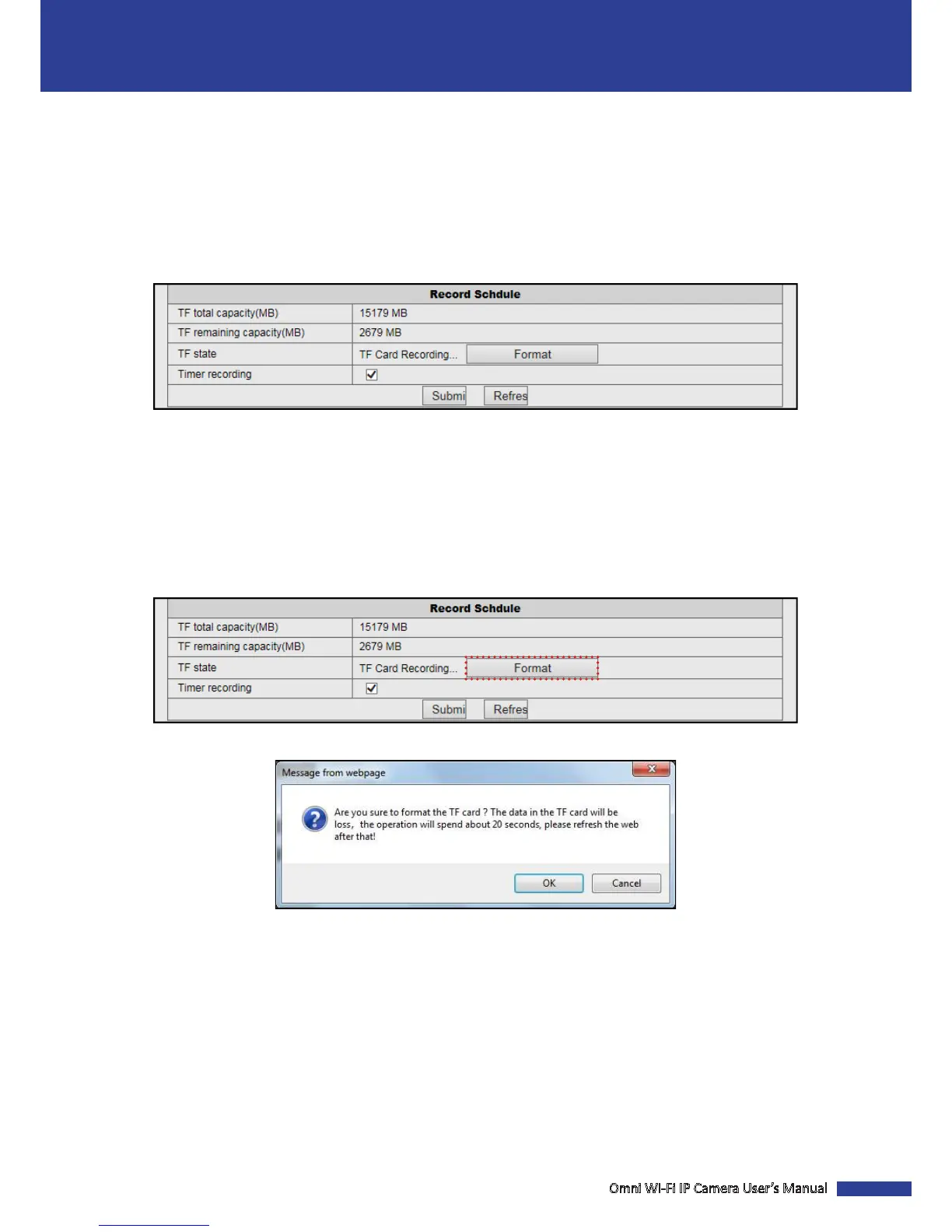
Click Record Schedule to manage the memory card and congure the recording sengs to be stored in the memory
card.
NOTE:
• It is recommended to use a TF card with size of at least 4GB, Class 6.
• The TF card is not included in the package. It is sold separately.
• The device supports up to 64GB TF card.
TF total capacity(MB): Display the total size of the memory card.
TF remaining capacity(MB): Display the available free space on the memory card.
TF state: Display the state of the memory card.
Timer recording: Check the box to record video connuously.
Format the TF Card
Click Record Schedule > Format to format the memory card.
A conrmaon message appears on the screen. Click OK to conrm. All data will be deleted if formaed.
NOTE: Do not remove the memory card while card formang is in progress.


 To Next Page