12
Omni Wi-Fi IP Camera User’s Manual
Web Client
Alarm Service Sengs
Select this menu opon to congure alarm, email, and FTP server sengs.
Congure the Alarm Sengs
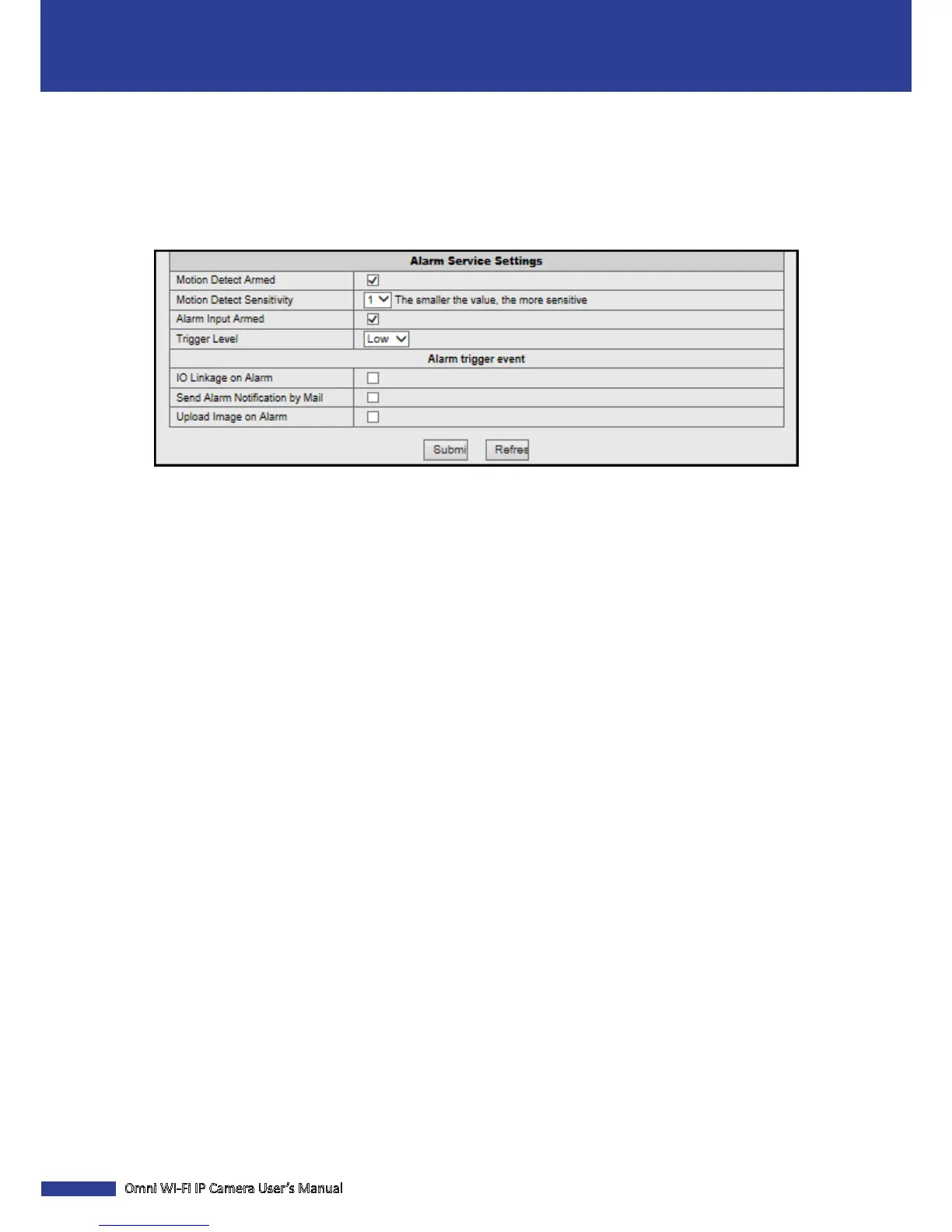
Click Alarm Service Sengs to customize the alarm sengs.
Moon Detect Armed: Check this box to enable the moon detecon alarm funcon.
Moon Detect Sensivity: Select the moon detecon sensivity rate.
NOTE: This opon is only available when the Moon Detect Armed funcon is enabled.
Alarm Input Armed: Check this box to enable the external alarm funcon.
Trigger Level: Select the alarm trigger level.
NOTE: This opon is only available when the Alarm Input Armed funcon is enabled.
Check this box to acvate the following acon when the moon is detected or the alarm is triggered.
• IO Linkage on Alarm: Check this opon to enable alarm output. You will receive an I/O message nocaon on your
smartphone when the alarm sensor is triggered.
• Send Alarm Nocaon by Mail: Check this opon to send a nocaon email.
• Upload Image on Alarm: Check this opon to upload the snapshots to the FTP server.



 To Next Page