Omni Wi-Fi IP Camera User’s Manual
15
Web Client
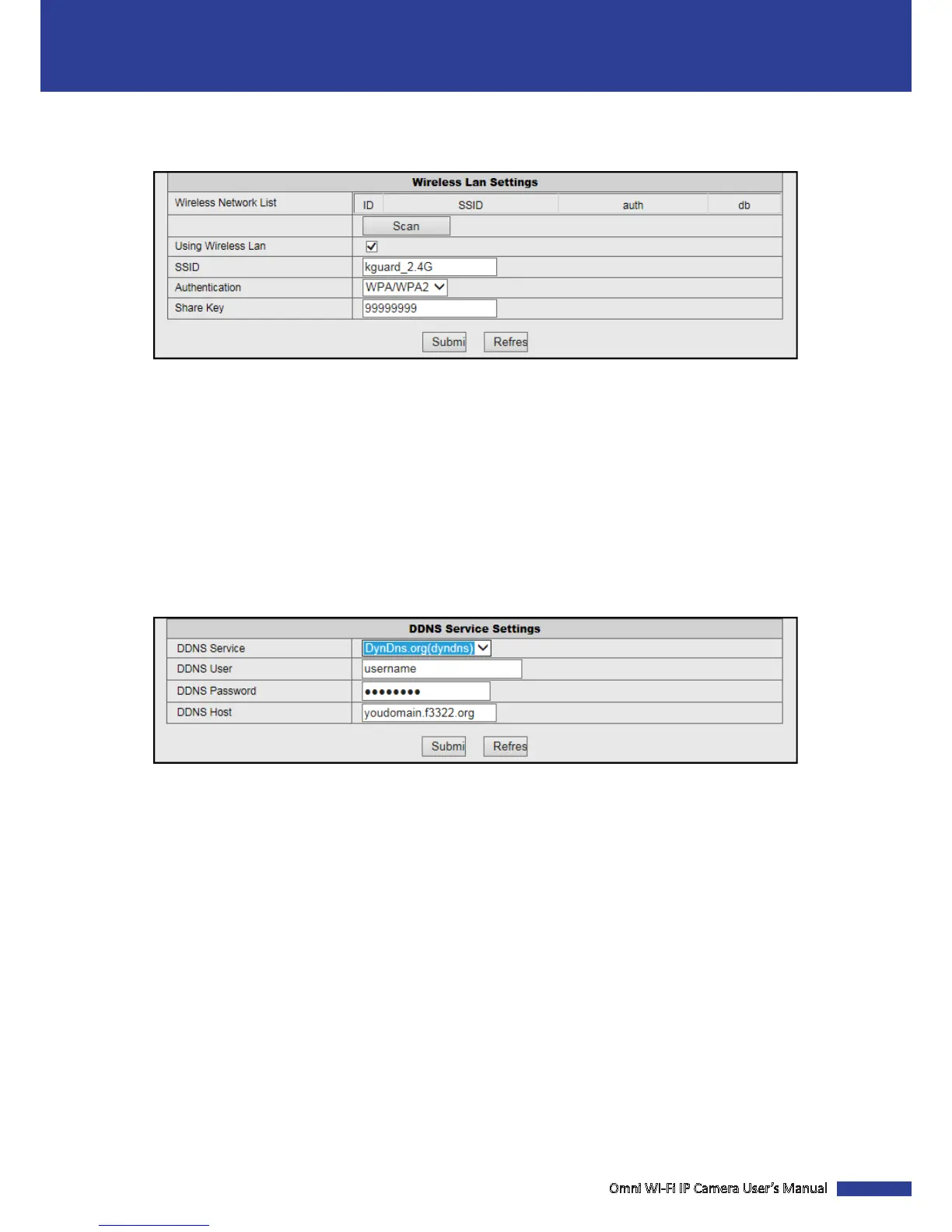
Congure the WLAN Sengs
Click Wireless Lan Sengs to congure the wireless network sengs.
Scan: Click to search for available wireless router(s).
Using Wireless Lan: Check the box to use Wi-Fi funcon.
SSID: Enter the router name.
Authencaon: Select the encrypon type.
Share Key: Enter the password as you set in your router.
Congure the DDNS Service Sengs
DDNS (Dynamic DNS) is a service that registers a domain name and the oang IP address with a DDNS server so that
the domain name can be routed to the IP address even if the IP is changed in a dynamic IP system. Click DDNS Service
Sengs to congure the DDNS service sengs.
DDNS Service: Select DDNS server type.
DDNS User: Enter the user name you registered on DDNS server.
DDNS Password: Enter the password you registered on DDNS server.
DDNS Host: Enter the domain name you registered on DDNS server.
NOTE: To apply a third party DDNS server provider such as a DynDNS domain name, visit hp:dyn.com/dns. Follow the
on-screen instrucons to complete the account setup.



 To Next Page