Omni Wi-Fi IP Camera User’s Manual
5
Web Client
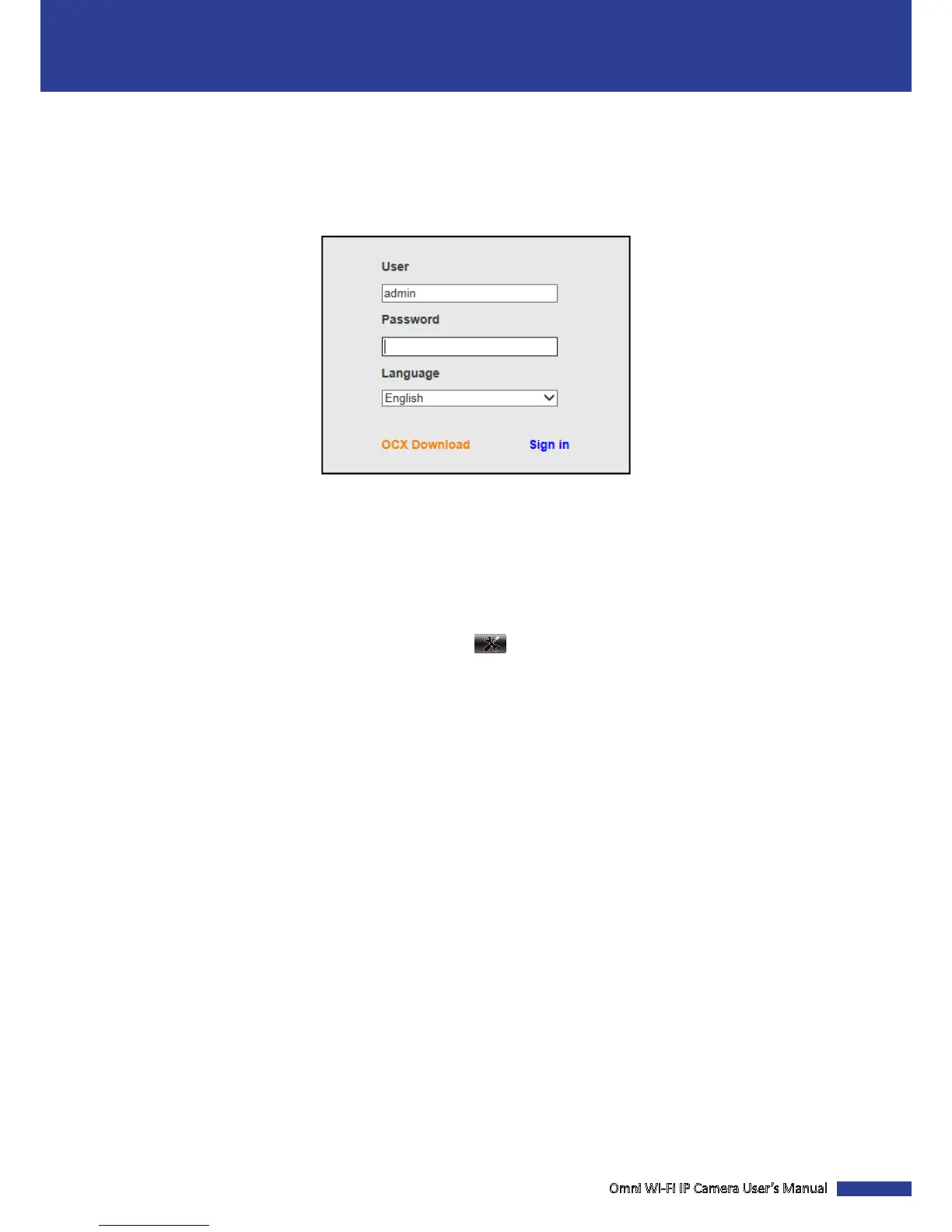
Log In
1. Enter the login name and password.
2. Click Sign in to login.
NOTE:
• The default user name and password are “admin”.
• If you log in IE browser for the rst me or the live view is not properly display on the screen, click OCX Download
to download the OCX soware and then install it on your computer.
IMPORTANT: To access your camera remotely, verify the following:
• Be sure to perform port forwarding rst before browsing using the domain name or designated DDNS address.
• You have set the DDNS address of your IP camera. Go to
> DDNS Service Sengs > DDNS Host.


 To Next Page