14
Omni Wi-Fi IP Camera User’s Manual
Web Client
Network Conguraon
Select this menu opon to congure the network and DDNS service sengs.
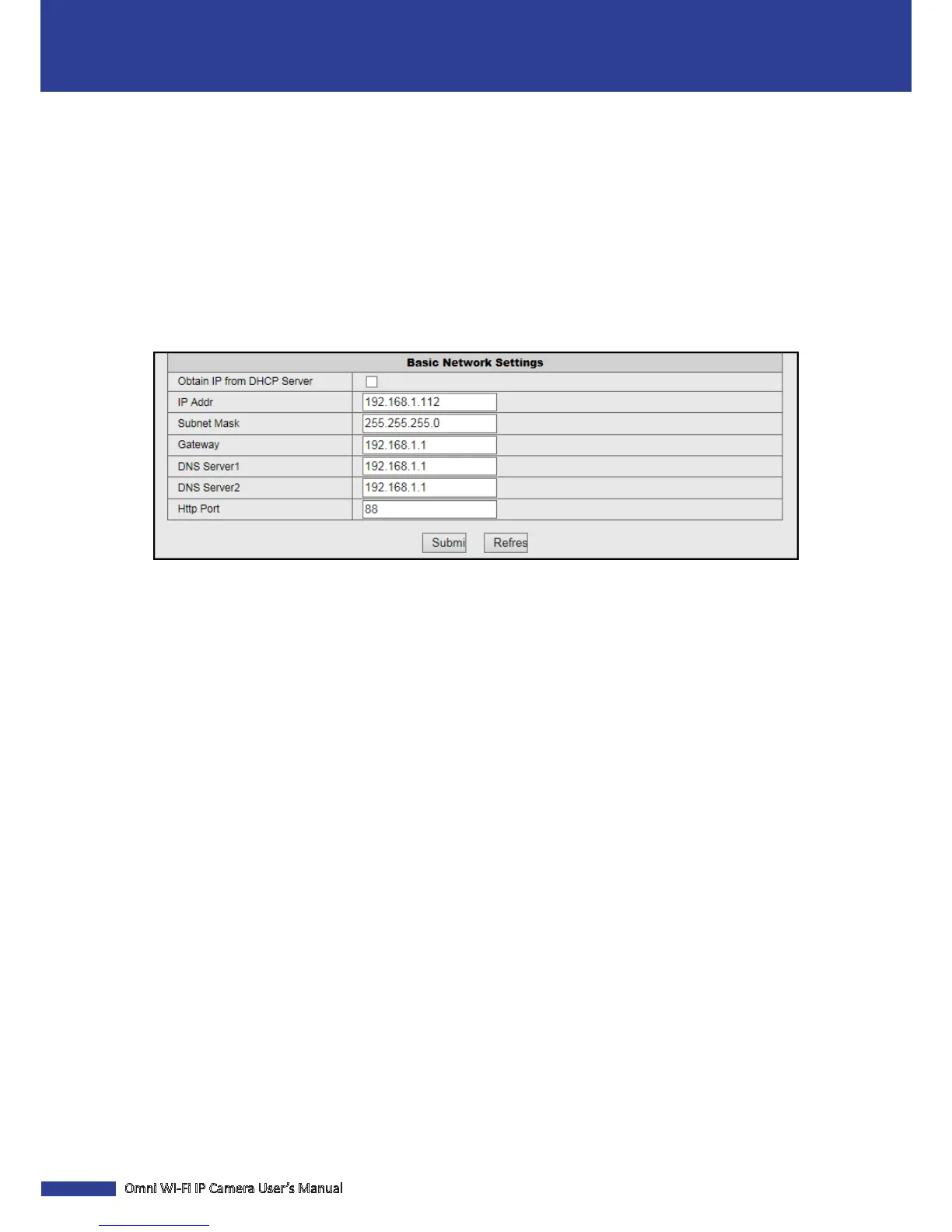
Congure the Basic Network Sengs
Click Basic Network Sengs to congure how the camera connects to the network.
This camera provides two network connecon opons: Stac IP (Stac Address) and DHCP (Dynamic Address).
• Stac IP: Select this connecon if the camera is directly connected to a DSL modem and your ISP has supplied you
with a predened IP for your Internet connecon.
• DHCP: Select this connecon if the camera is connected to a router and DHCP is enabled.
Obtain IP from DHCP Server: Check this box to select DHCP network connecon if the camera is connected to a router
and DHCP is enabled.
IP Addr: Enter the stac IP address.
Subnet Mask: Enter the subnetwork IP address.
Gateway: Enter the gateway IP addresss.
DNS Server1/2: Enter the DNS server address. DNS Server1 is the primary DNS server and DNS Server2 is a backup
DNS server. Usually should be enough just to enter the DNS Server1 server address.
Hp Port: Enter the port number that you will use to log in to the device via the web.
NOTE:
• The IP Addr, Subnet Mask, Gateway, DNS Server1, and DNS Server2 opons are only available when the Obtain IP
from DHCP Server funcon is disabled.
• Obtain these informaon from your network administrator or your Internet Service Provider (ISP).
• If you cannot use the either of the two default media.web ports, 80 or 38401, the specied port may be occupied
by other programs or it is being blocked by your service provider. Enter other port number. In this case, you need
to add the port number aer the IP address. For example, if you set the Web Port as 85, you need to enter the IP
address as “192.168.3.103:85”.



 To Next Page