16
Omni Wi-Fi IP Camera User’s Manual
Web Client
PTZ Conguraon
Select this menu opon to congure the PTZ camera sengs.
Congure the PTZ Sengs
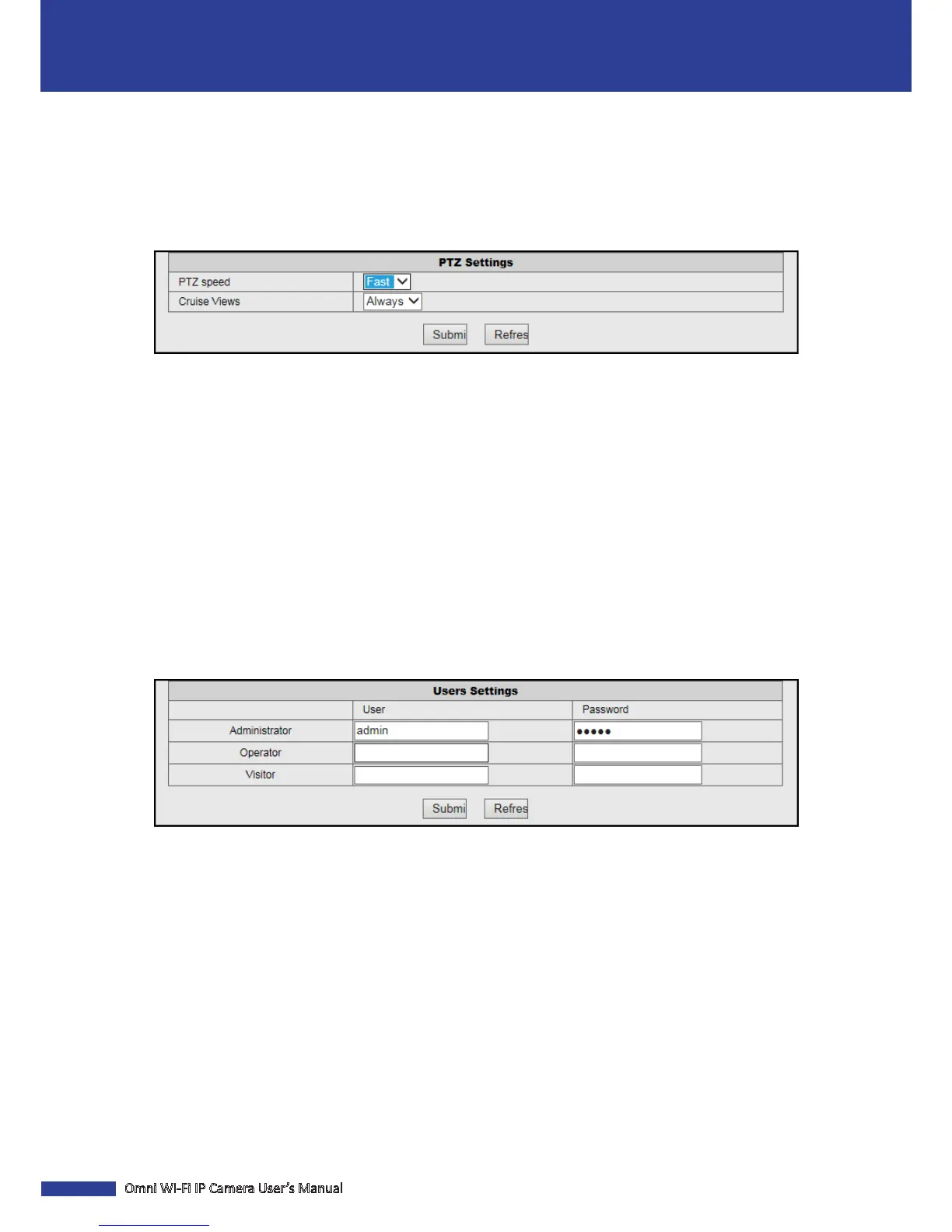
Click PTZ Sengs to customize the camera cruise sengs.
PTZ Speed: Specify the moving speed between two preset points.
Cruise Views: Specify the residence me for each preset point.
User & Device Management
Select this menu opon to manage the user and device operaons.
Congure the Users Sengs
Click Users Sengs to change the administrator password and create a new user prole. Only the Administrator can
create an account.
NOTE:
• By default, there is one administrator account. The administrator account user name and password are “admin”.
• We suggest you change the password to protect your privacy.
Each user type has dierent access rights.
• Administrator: Full access rights to congure the camera parameters.
• Operator: Limited camera operaons such as pan/lt control.
• Visitor: View live video only.
NOTE: To create a new user, enter the user name and password. Then click Submit to register the user prole.


 To Next Page