Breva EN 13/20
11.13. To define the patient tolerance • At the start of a session
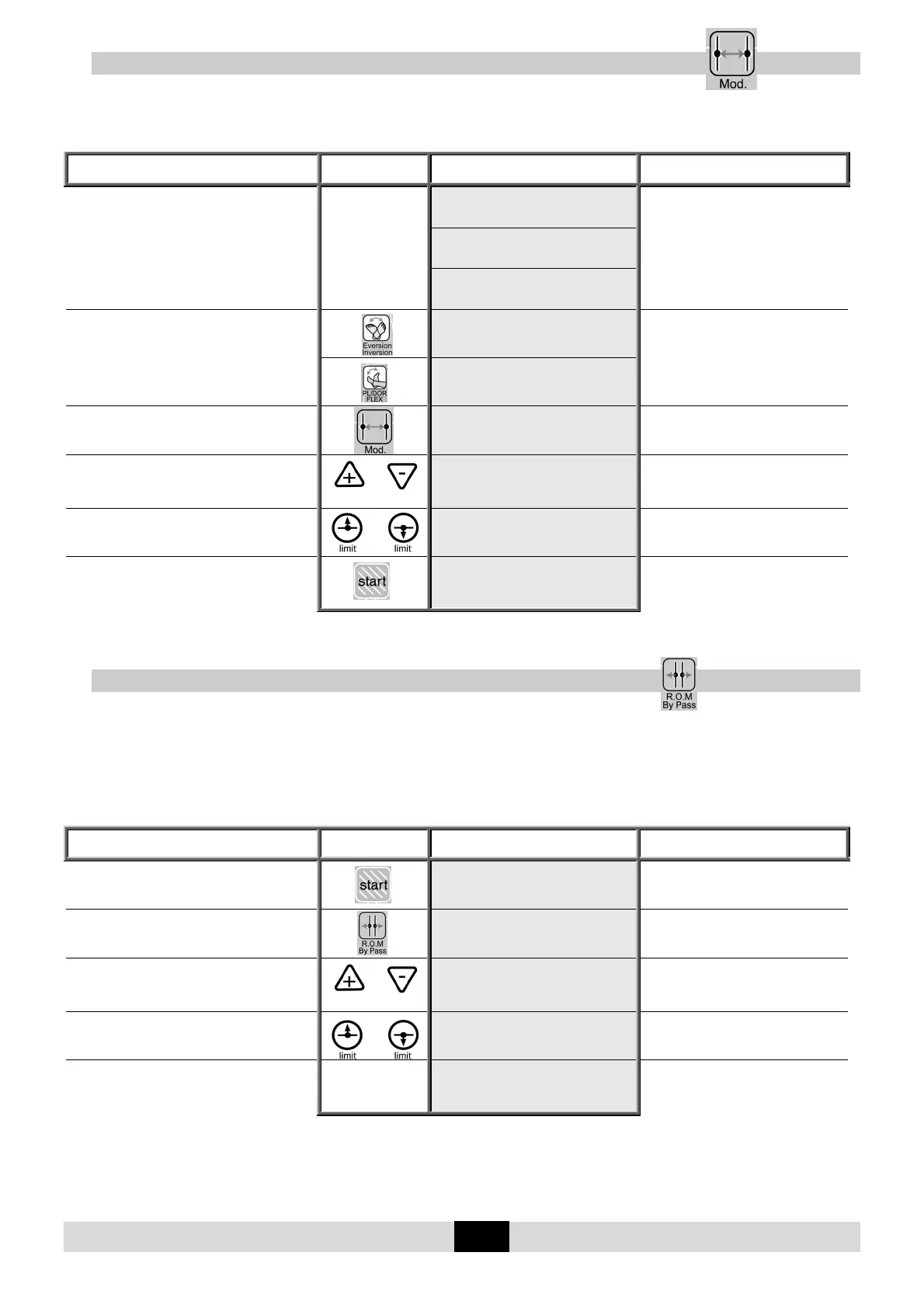
This function, MODULATION MODE, allows the maximum limits that a patient can tolerate to be
defined and recorded at the beginning of a session.
Set up the patient and proceed as below:
Beginning
Keys to
press
Display Remarks
Switch the unit ON
KINETEC
BREVA V01.0
PL/FLEX DOR/FLEX
Please wait
PL/FLEX DOR/FLEX
20 STOP 18 20
To select the desired movement
EV RIGHT INV
10 STOP 18 18
The display shows the movement
selected, with the default settings.
PL/FLEX DOR/FLEX
20 STOP 18 20
To select
MODULATION MODE
: use +or-
20 STOP 18 20
The display indicates the keys used to
run the machine. This message is
displayed 3 seconds.
To select the pain level
(+ key for flexion, - key for extension)
OR
Continuous press
MODUL.: use +or-
20 MANUAL 28 28
The unit begins to move as selected.
The settings are controlled by you.
To set the pain level when reached OR
MODUL.: use +or-
20 MANUAL 28 28
The new limit of the movement is
recorded.
To start the session with the new movement
limits
PL/FLEX DOR/FLEX
20 RUN 15 28
The angle display changes with the
current movement.
Note: when the movement's max. limit is reached, the max. angle is automatically recorded and
the function is exited.
11.14. To define the patient tolerance • During the session
This function, BYPASS MODE, allows the maximum limits that a patient can tolerate to be defined
and recorded, which allows you to work on increasing amplitude.
IMPORTANT: this function can be only used when the machine is running (but not during Warm
Up cycles).
Beginning
Keys to
press
Display Remarks
The unit is running
PL/FLEX DOR/FLEX
20 RUN 15 28
Check that the hand control is not
locked (See page 7).
To select
BYPASS MODE
BYPASS: USE +or-
20 RUN 20 28
The display indicates the keys used to
run the machine. This message is
displayed 3 seconds.
To select the NEW pain level
OR
continuously press
BYPASS: USE +or-
20BYPASS 30 28
The unit begins to move as selected.
The settings are controlled by you.
To set the new pain level when reached OR
BYPASS: USE +or-
30BYPASS 30 28
The new limit of the movement is
recorded.
Continue the session with the new movement
limits
PL/FLEX DOR/FLEX
30 RUN 17 28
The angle display changes with the
current movement.
Note: when the movement's max. limit is reached, the max. angle is automatically recorded and
the function is exited.


 To Next Page