KING-METER TECHNOLOGY CO., LTD
No.15, Chenchang Road, Beichen Dist.Tianjin,300134, CN
Fax:+0086 022 8478 0358 Tel: +0086 022 8478 0378
4. Installation Instruction
When the e-bike is powered off, you can insert the connector of display and the corresponding
connector of controller to complete the installation, and adjust the display to a suitable angle.
5. Normal Operation
5.1 On / Off
Long press “MODE” button then the display will work normally, and the controller will power on at the
same time.
With the display on, long press “MODE” button, the display will shut down, the display will leave off
battery, the leakage current of display on is less than 1μA.
If the e-bike is not used for more than 10 minutes, the display will automatically shut down.
5.2 User interface
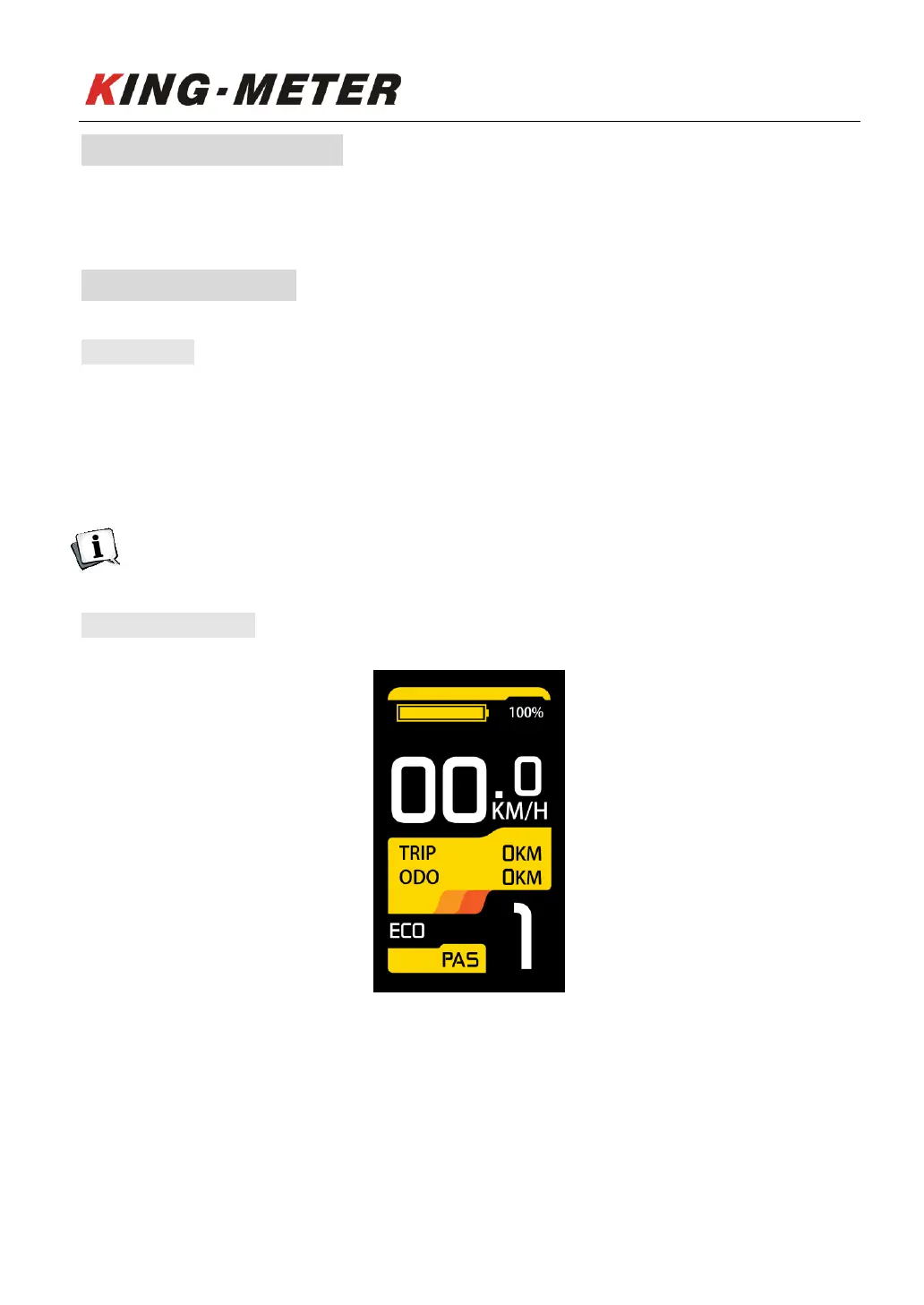
Normal display interface
After the display is turned on, it will display the real-time speed by default. The PAS level is
displayed in the lower right corner of the screen, the Single Trip distance (unit: km) and the Odometer
(unit: km) are displayed in the middle position, and the percentage of battery power is displayed at the
top.














 To Next Page