KING-METER TECHNOLOGY CO., LTD
No.15, Chenchang Road, Beichen Dist.Tianjin,300134, CN
Fax:+0086 022 8478 0358 Tel: +0086 022 8478 0378
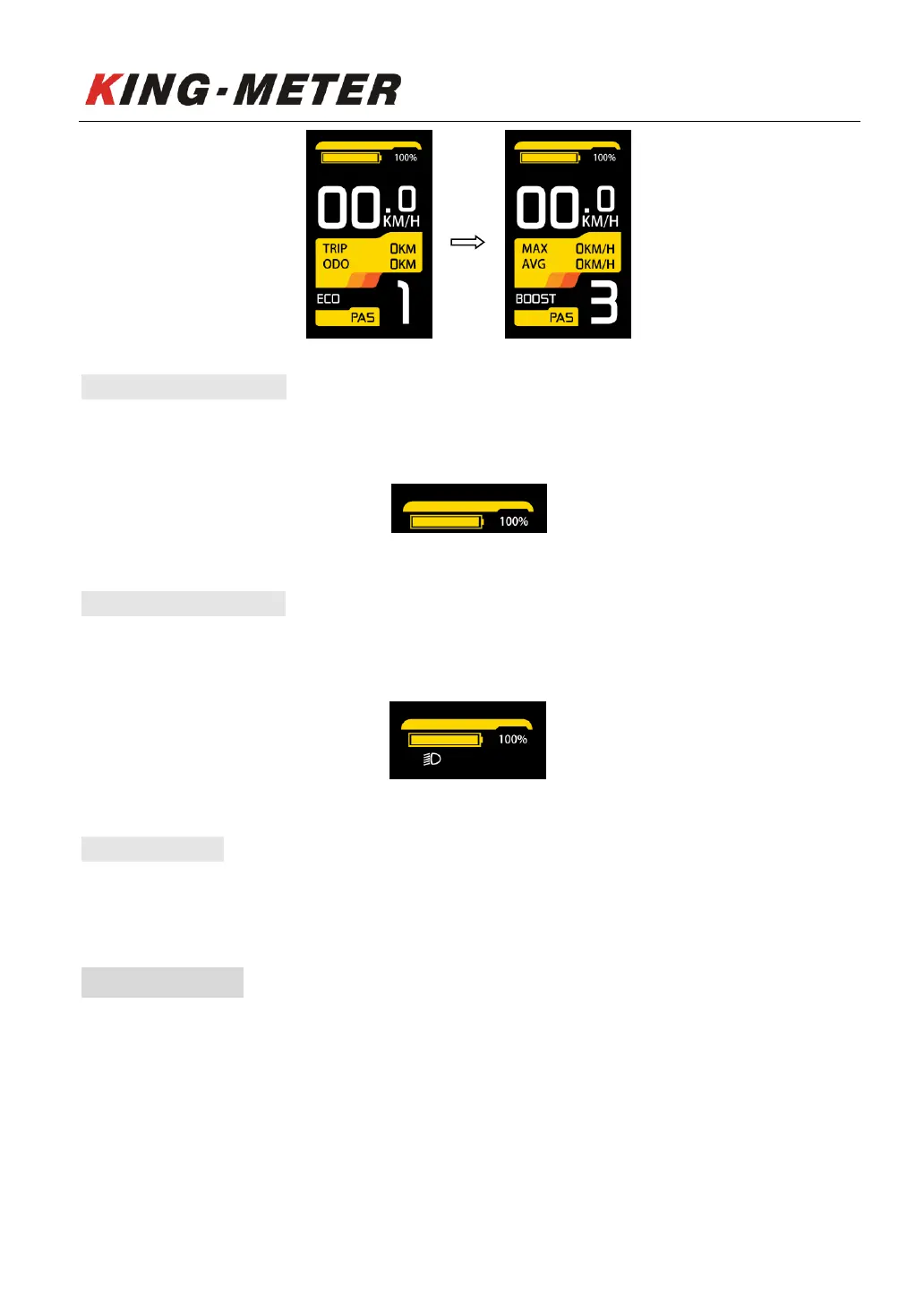
5.6 Battery Indicator
The battery power is shown as a percentage bar. When the battery is fully charged, the power bar
shows 100%
Battery indicator
5.7 Headlight On/Off
Long press the “UP” button, the backlight will be turned on, and the controller will be informed to turn
on the headlight. Long press the “UP” button for 2 seconds again to turn off the headlight.
Headlight indicator
5.8 Error Code
When the e-bike electronic control system fails, the display will automatically indicate the error code.
For the definition of detailed error codes, see appendix 1.
6. User Settings
When there is no speed in the power on state, press and hold the “UP” and “DOWN” button at the
same time for 2 seconds, and the display will enter the setting interface. Press “MODE” button to select
display settings. Long press “MODE” button to save and exit the setting interface.














 To Next Page