KING-METER TECHNOLOGY CO., LTD
No.15, Chenchang Road, Beichen Dist.Tianjin,300134,CN
Fax:+0086 022 8478 0358 Tel: +0086 022 84780378
5. Operation Instructions
5.1 Power On/Off
Press “MODE” button for 2 seconds then the display will power on, and the display will turn on the
controller. In power on state, long press “MODE” button to turn off the power supply of the e-bike. In
power off state, the display no longer use the battery power. The leakage current is less than 1 uA.
If the E-bike has not been used for 10 minutes, the display will turn off automatically.
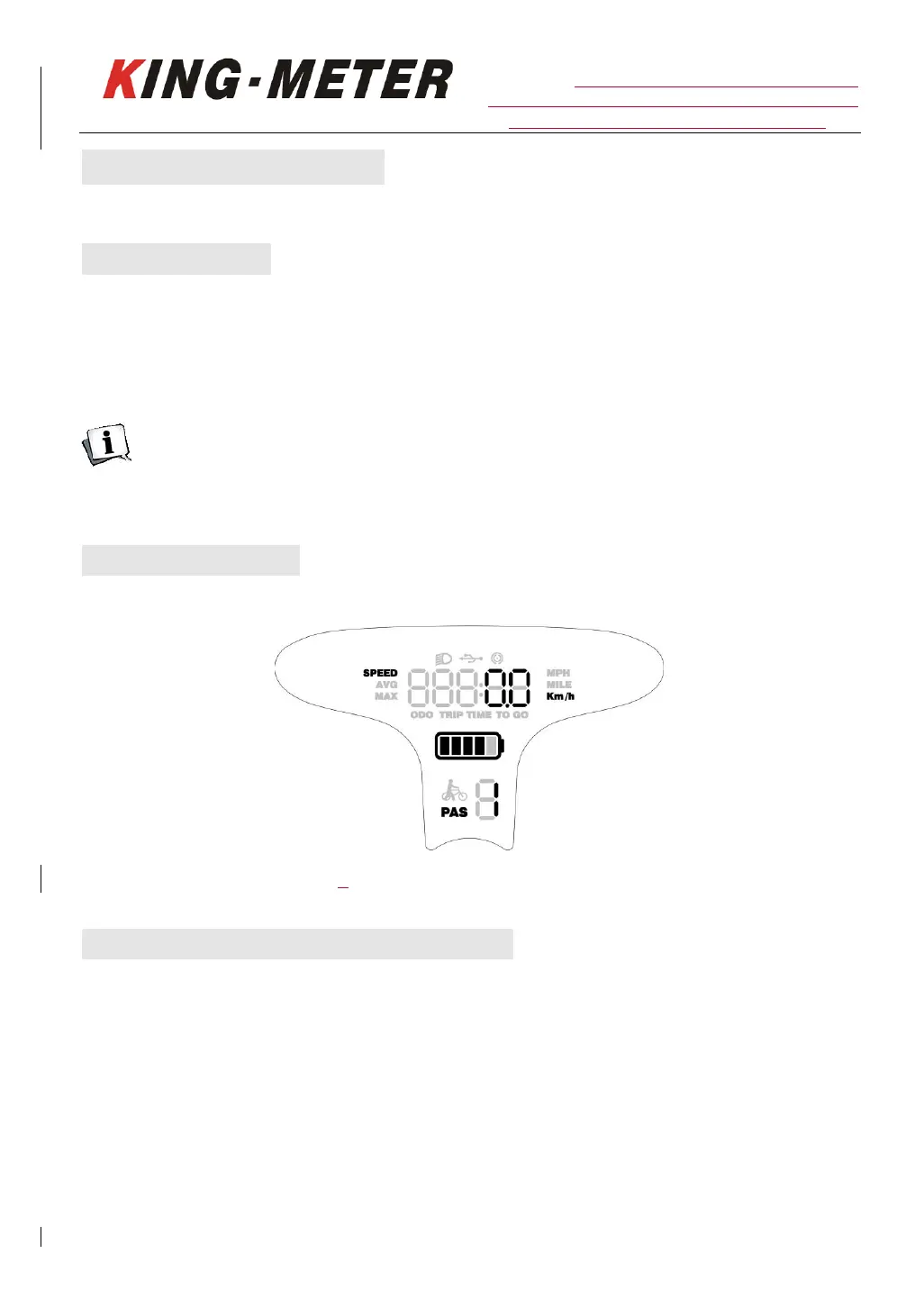
5.2 Display Interface
K5250 LCD normal display interface
5.3 Speed/Single Trip Distance/ODO
After the display is powered on, the display will show the current default speed. Short press the
“MODE” button briefly to switch the display information. The sequence of display is:
Real-time speed (Km/h) → Average speed of this trip (Km/h) → Maximum speed of this trip (Km/h) →
Odometer (Km/h) → Single trip distance (Km/h) → Single trip time → Real-time speed(Km/h).














 To Next Page