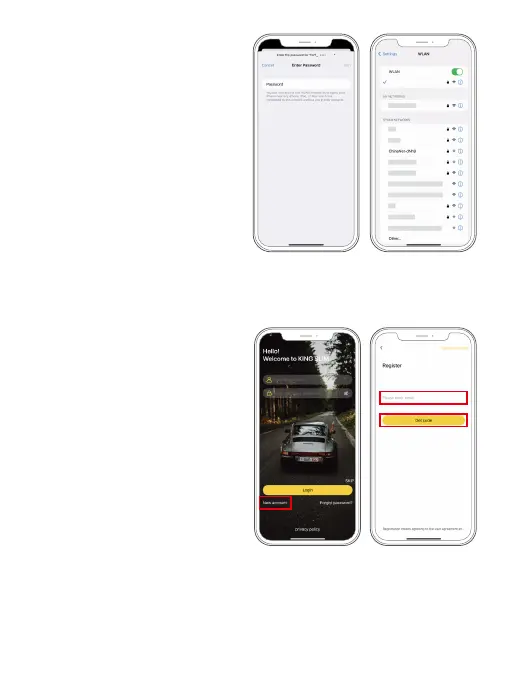
(3) Connect the camera’s Wifi. To do this,
go to your smartphone's Wifi settings
screen, search for the Wifi SSID,
and tap on it to enter the password
12345678 for Wifi connection.
Warm tip: Once the camera Wifi is
connected, it will give you a "No
Internet Connection" notice since
the 4G signal of your phone is
blocked, but you can ignore it and
continue the app connection.
(4) Access the Kingslim app. To do this,
open the Kingslim APP, then tap the
“New Account” icon to enter your email
and get a verification code for login.
Warm tip:
You can also enter the
APP without bothering to create
an account for login by tapping
“Skip”.



 To Next Page