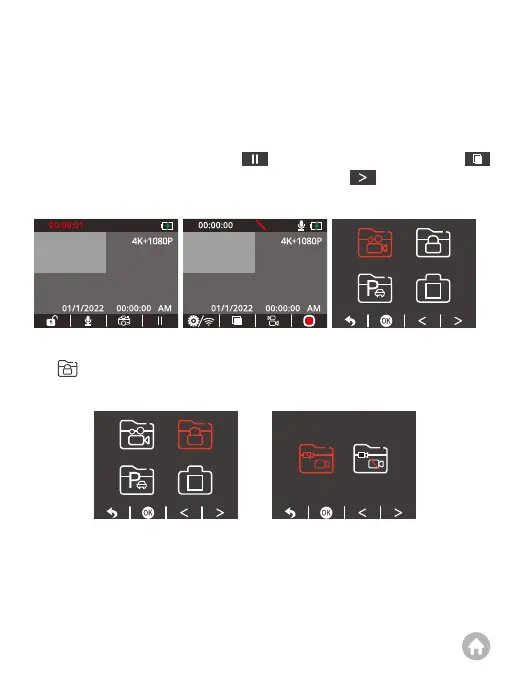
For example, if you want to playback locked videos, please press the Down button
to “ ”, and press the OK button to confirm. You can choose to playback the
locked videos recorded by either the front or cabin camera.
1. Playback on the dash cam
You can choose to play back normal videos, locked videos, parking monitor videos,
and photos on the dash cam.
After turning on the camera, press the button to stop recording, and press
to enter the playback screen, then press the Down button to playback files
stored in the memory card.
P P
Playback Videos



 To Next Page