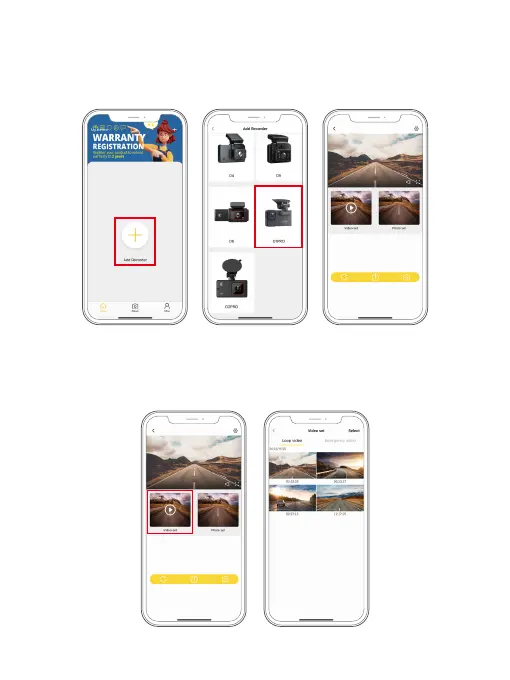
(5) Connect to the Kingslim app. To do this, tap "Add Recorder" to add your
camera model, then wait for a few seconds till the APP loads past the
Connecting screen to enter the preview screen. Your dash cam will be
successfully connected to the Kingslim APP.
3. Playback videos on the APP
(1) Tap the “Video set” icon to enter the video menu.
(2) Tap the video you want to watch for playback.
Note: The Kingslim APP works with KINGSLIM dash cams only.
NVT_
****
NVT_
****



 To Next Page