Installation
1.
Memory card use
To record videos, you need a compatible memory card (sold separately). We
recommend you use a Samsung/Sandisk/Kingston Class 10 U3 or high memory card
for your D1 Pro dash cam. This dash cam supports a memory card of up to 128GB.
Warm tip: 1. To make your memory card more compatible with the dash cam, please
format it on your computer first and then in the camera settings before using it.
2. Do not remove or insert the memory card when the dash cam is turned on as this
may cause damage to your card.
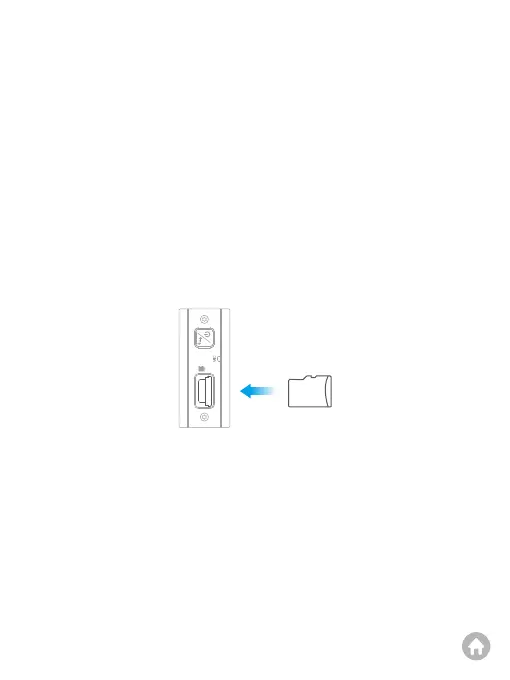
(1) Insert the memory card
Before inserting the memory card, please ensure that the camera is turned off.
Insert the card halfway into the slot, then use your finger or fingernail to push the
card all the way in until you hear a click indicating that it has locked into place.
Tip: Please follow the direction indicated on the camera to insert the card.



 To Next Page