Format
GPS information
Setup
Default Setting
Version Info
SD Card
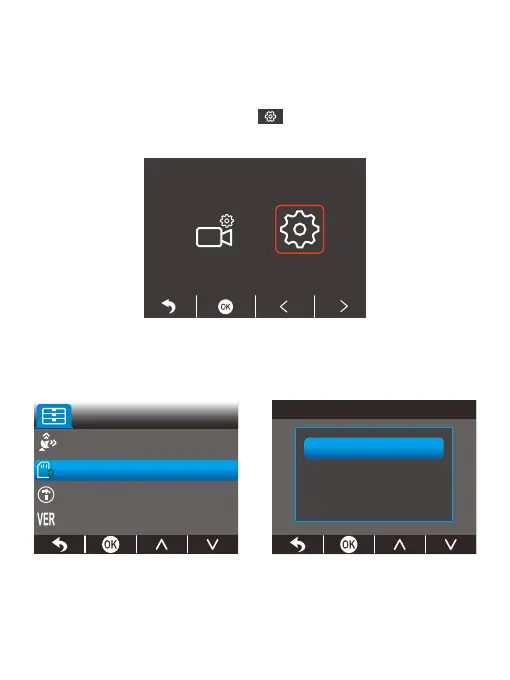
(2) Format the memory card
You need to complete the formatting process in the camera each time you insert the
card. To do this, please access the formatting screen. In case you have not yet done
so, an error message will appear prompting you to insert the memory card. Please
follow the instructions below to format the memory card.
① , then press the OK button to enter
Please press the Setup button, choose
the system settings screen.
②
Press the Down button to locate the “Format” option, then press the OK
button to enter the “SD Card” screen.



 To Next Page