9.3 Use the Kingslim APP
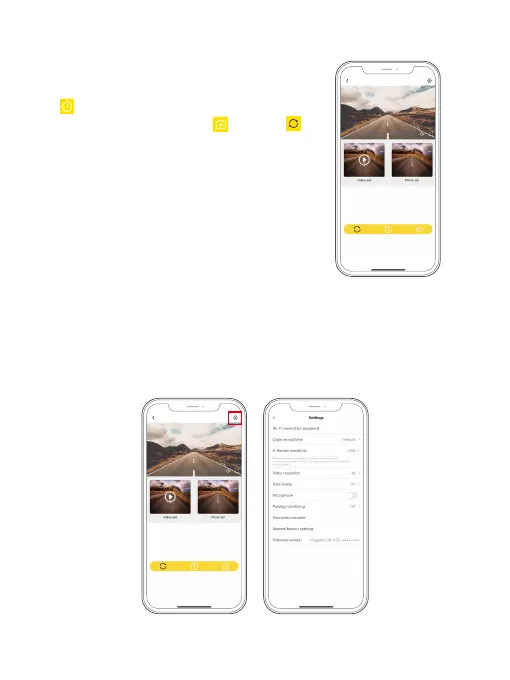
(1) Control your camera using the APP.
On the Preview interface, you can tap the Power
icon to start or stop recording. To take a
photo, simply tap the photo icon . The icon
is used to switch display modes. But kindly note
that this camera records front video only, so there
is no way to switch display modes.
D5_
******
(2) Change the camera settings on the APP.
To change the camera settings on the Kingslim APP, please tap the Settings icon in
the upper right corner to enter the settings screen. By using the phone app, you
can change the loop recording time, change the settings of G-Sensor, or Parking
mode, and more.
Kingslim_D4Pro_
****



 To Next Page