5.2 Install the Dash Cam on the Windshield
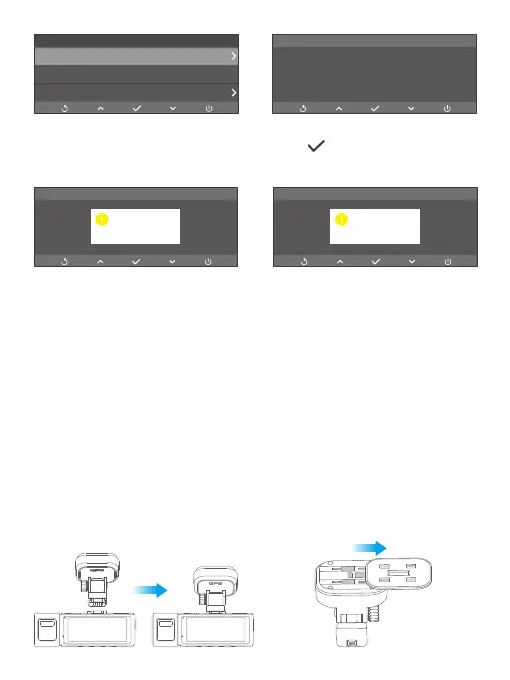
(1) Attach the GPS bracket
First, attach the bracket onto the dash cam by aligning the notches. Second, attach
the GPS buckle onto the bracket by aligning the notches till the buckle is inserted in
place.
➂ On the formatting screen, press the OK button again to confirm the
formatting process.
➃ The system will then exit automatically.
Kind reminder: All data will be deleted after formatting. Be sure to back up your
important files before formatting. To ensure the memory card’s optimal performance,
we recommend formatting it every two months. Keep in mind that memory cards
have a limited lifespan, and frequent reading, writing, and erasing can shorten their
lifespan. If you’re prompted about frequent card errors or glitches, please replace
it with a new one.
Format the memory card now?
prompt
Format SD
OnGPS
GPS Info
Settings
prompt
Formatting...
prompt
Format complete



 To Next Page