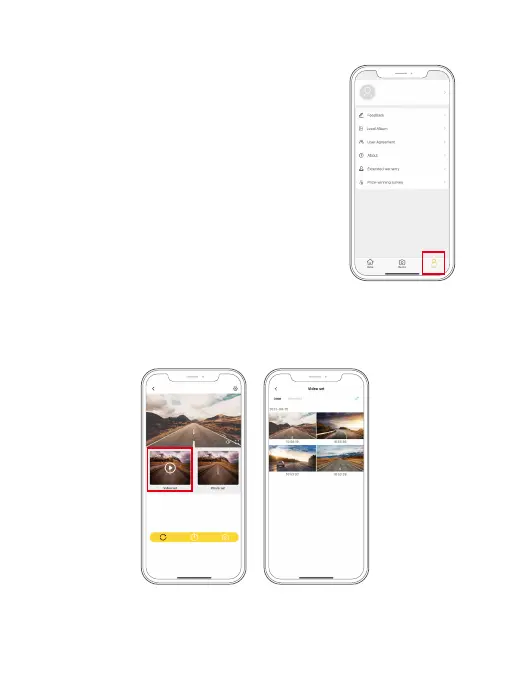
9.4 Playback Videos on the Kingslim APP
(1) Tap on the “Video set” icon to view all the video files stored on the memory card.
(2) Tap on the video you want to watch for playback.
Note: The Kingslim APP works with KINGSLIM dash cams only.
(3) Get the most out of the APP
➀ Tap Mine → Feedback to send your feedback to our
technical team. Your feedback will be properly taken
care of by our tech department within 48 hours.
➁ Tap Mine → About to learn about the app version,
and access more useful instruction videos by visiting
Youtube.com, and Facebook.com.
➂ Tap Mine → Extend Warranty to extend warranty for
your order by visiting our official website.
➃ Tap Mine → Prize-Winning Survey to win a gift after
completing a small survey.
➄ Tap Mine → Local Album to access videos saved to
your phone’s album.
Kingslim_D4Pro_
****



 To Next Page