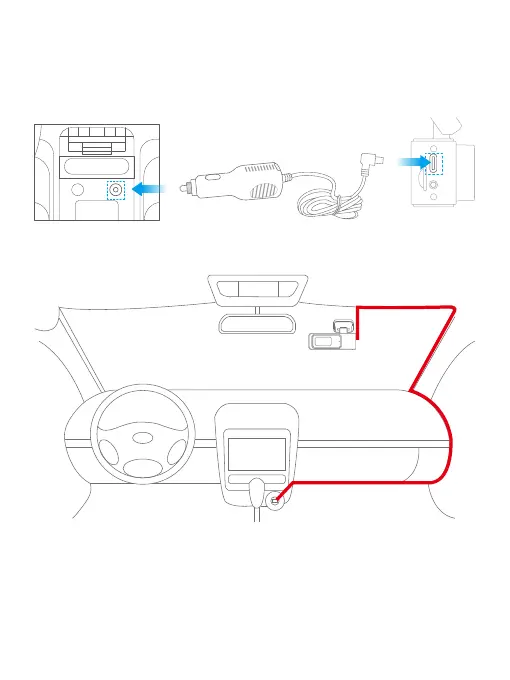
(4) Charge the camera.
Locate the USB power port, and connect the dash cam to the included car charger,
then plug it into the car cigarette lighter. The dash cam will turn on and start
recording.
(5) Power on or off.
Power on: The KINGSLIM E2 Pro dash cam is designed to turn on and record
automatically as soon as it receives power, i.e. when the car engine is started.
Power off: The camera is also pre-configured to turn off automatically as soon as
the power gets disconnected, i.e. when the car key is turned to the LOCK position.
Car Cigarette Lighter Socket Car Charger
E2 Pro Dash Cam



 To Next Page