➁ Once the camera Wifi is connected, it will give you a "No Internet Connection" or
“Weak Security” notice since the 4G signal of your phone is blocked, but you can
ignore it and continue the app connection.
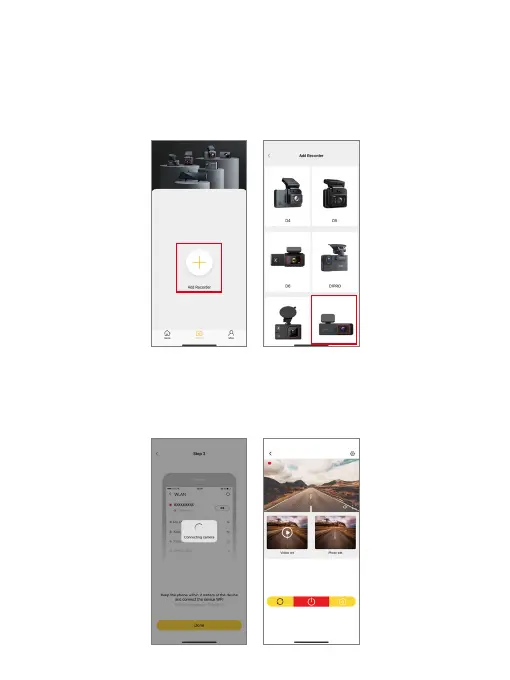
Step 3: Open the Kingslim app on your phone, tap “Device” at the bottom, then tap
"Add Recorder" to add your camera model.
Step 4: Wait for a few seconds till the app loads past the Connecting screen to enter
the Preview screen. Upon accessing the camera's preview screen, your E2 Pro dash
cam is successfully connected to the Kingslim app.
Kingslim_
********



 To Next Page