Browse DTL+
• Allows you to browse the contents of the secure data partition while you are logged in
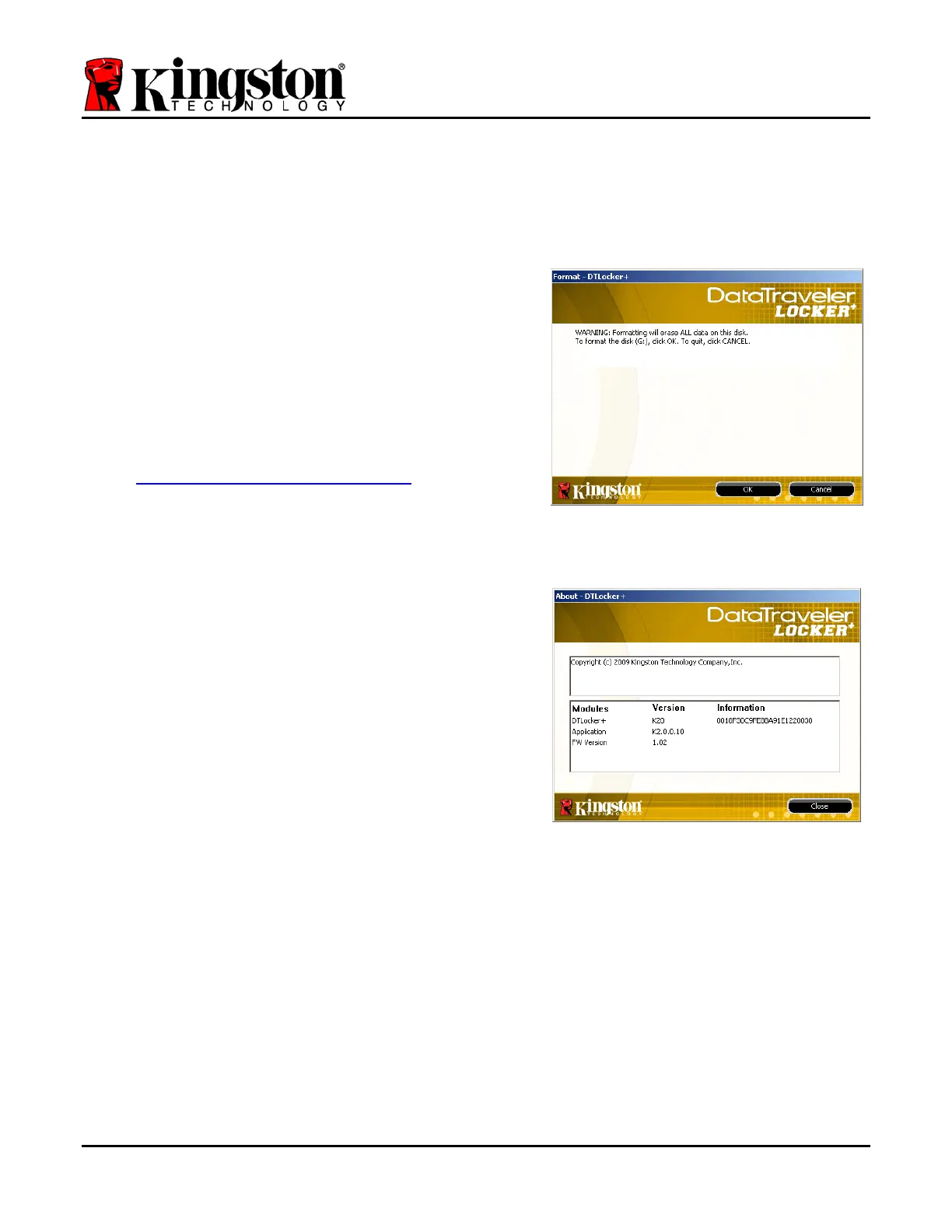
Format DTL+*
• Allows you to format the secure data partition
(Warning: All data will be erased.) (Figure 5.6)
Online Support (Requires Internet access)
• Opens your Internet browser and navigates to
http://www.kingston.com/support/ where you
can access additional support information
Figure 5.6 – Format Warning
About DTL+
• Provides specific details about the DTL+,
including Application and Firmware version
information (Figure 5.7)
Shutdown DTL+
• Properly shuts down the DTL+, allowing you to
safely remove it from your system
Figure 5.7 – About DTL+
*Note: Your current DTL+ password is required in Windows Vista and Windows 7
-Windows Section Complete-
Document No. 48008071-001.A02 DataTraveler
®
Locker+ Page 11 of 22


 To Next Page