About This Manual
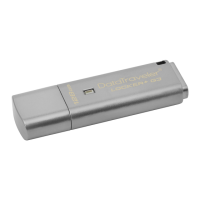
This user manual covers the DataTraveler
®
Locker+ (referred to simply as DTL+ from this point
forward) based on the factory image with no implemented customizations.
System Requirements
PC Platform
• Pentium III Processor or equivalent (or
faster)
• 15MB free disk space
• USB 2.0
• Two consecutive drive letters after the
last physical drive*
PC Operating System Support
• Windows
®
7
• Windows
®
Vista SP1, SP2
• Windows
®
XP SP2, SP3
Mac Platform
• 15MB free disk space
• USB 2.0
Operating System Support
• Mac OS X 10.5.x
• Mac OS X 10.6.x
Recommendations
To ensure there is ample power provided to the DTL+ device, insert it directly into a USB port
on your notebook or desktop, as seen in
Figure 1.1. Avoid connecting the DTL+ to any
peripheral device(s) that may feature a USB port, such as a keyboard or USB-powered hub, as
seen in
Figure 1.2.
Figure 1.1 – Recommended Usage
Figure 1.2 – Not Recommended
*Note: See ‘Drive Letter Conflict’ on page 22.
Document No. 48008071-001.A02 DataTraveler
®
Locker+ Page 3 of 22


 To Next Page