Device Initialization (Windows Environment)
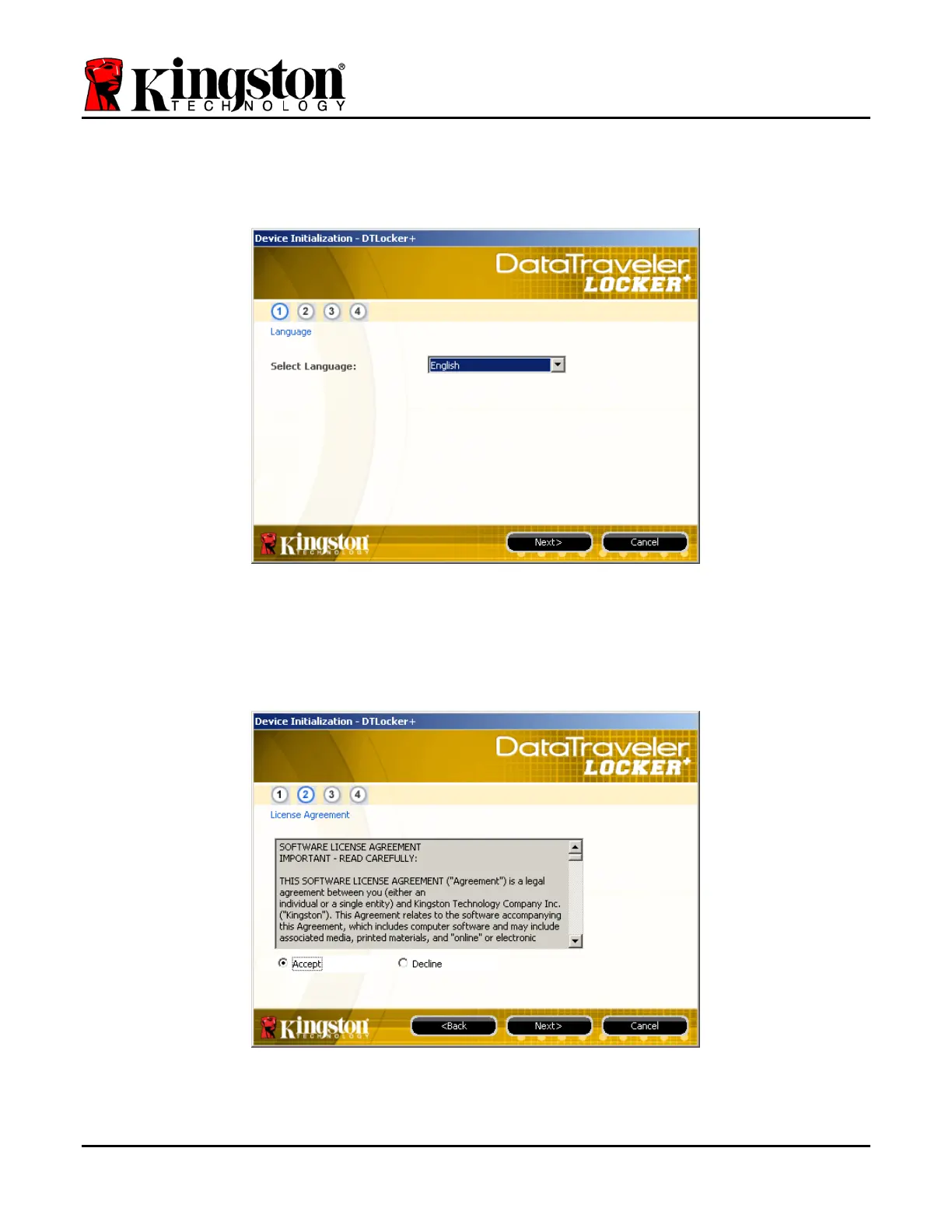
1. Select your language preference from the drop-down menu and click ‘Next’ (Figure 3.1.)
Figure 3.1 – Language Selection
2. Review the license agreement and click ‘Next’ (Figure 3.2.) (Note: You must accept the
license agreement before continuing; otherwise the ‘Next’ button will remain disabled.)
Figure 3.2 – License Agreement
Document No. 48008071-001.A02 DataTraveler
®
Locker+ Page 5 of 22




 To Next Page