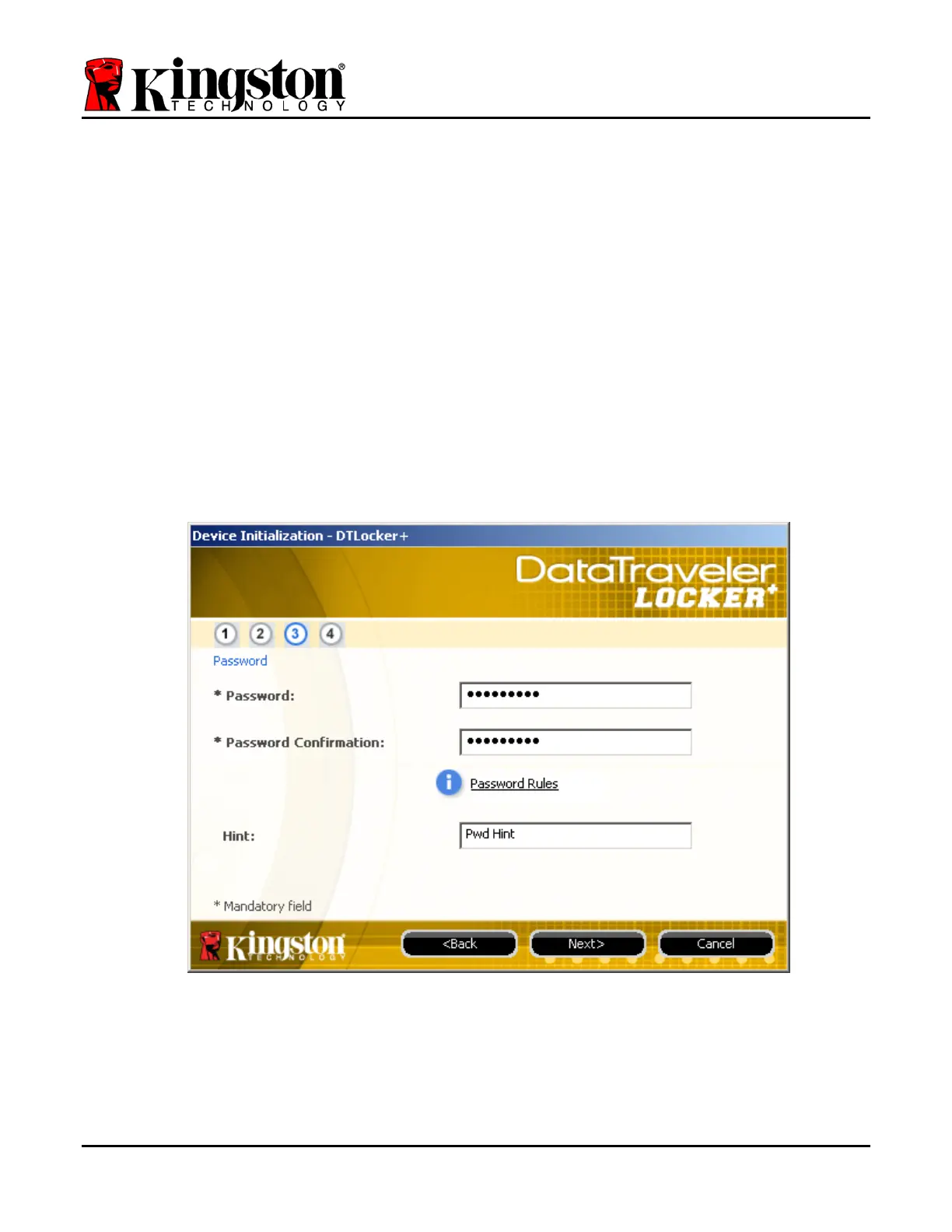
3. Create a password to protect your data on the DTL+. Enter it in the ‘Password’ field, then
re-enter it in the ‘Password Confirmation’ field, as seen below in
Figure 3.3. The password
you create must meet the following criteria before the initialization process will allow you to
continue:
1. Passwords must contain 6 characters or more (up to 16 characters.)
2. Passwords must contain three (3) of the following criteria options:
- UPPER CASE, lower case, numeric, and/or special characters (!, $, etc.)
You may also enter a password hint, but it is not a mandatory field. The hint field can be
useful in providing a clue as to what the password is, should the password ever be
forgotten. (Note: The hint CANNOT be an exact match to the password.)
Figure 3.3 – Password Setup
Document No. 48008071-001.A02 DataTraveler
®
Locker+ Page 6 of 22


 To Next Page