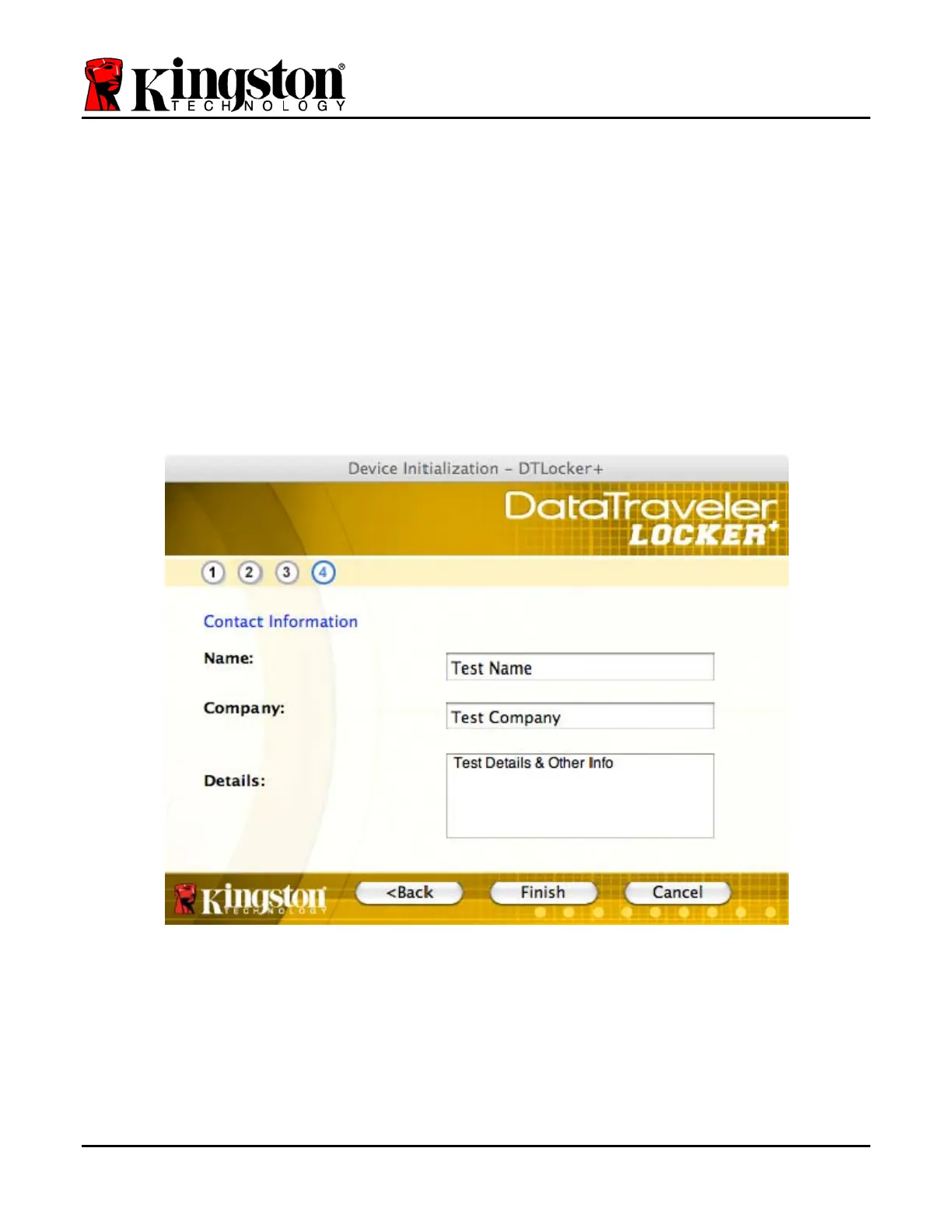
4. Enter your contact information into the text boxes provided (see Figure 7.4) (Note: The
information you enter in these fields may NOT contain the password string you created in
Step 3. However, these fields are optional and can be left blank, if so desired.)
• The ‘Name’ field may contain up to 32 characters, but cannot contain the
exact password.
• The ‘Company’ field may contain up to 32 characters, but cannot contain
the exact password.
• The ‘Details’ field may contain up to 156 characters, but cannot contain
the exact password.
Figure 7.4 – Contact Information
5. Click ‘Finish’ to complete the device initialization process.
Document No. 48008071-001.A02 DataTraveler
®
Locker+ Page 15 of 22


 To Next Page