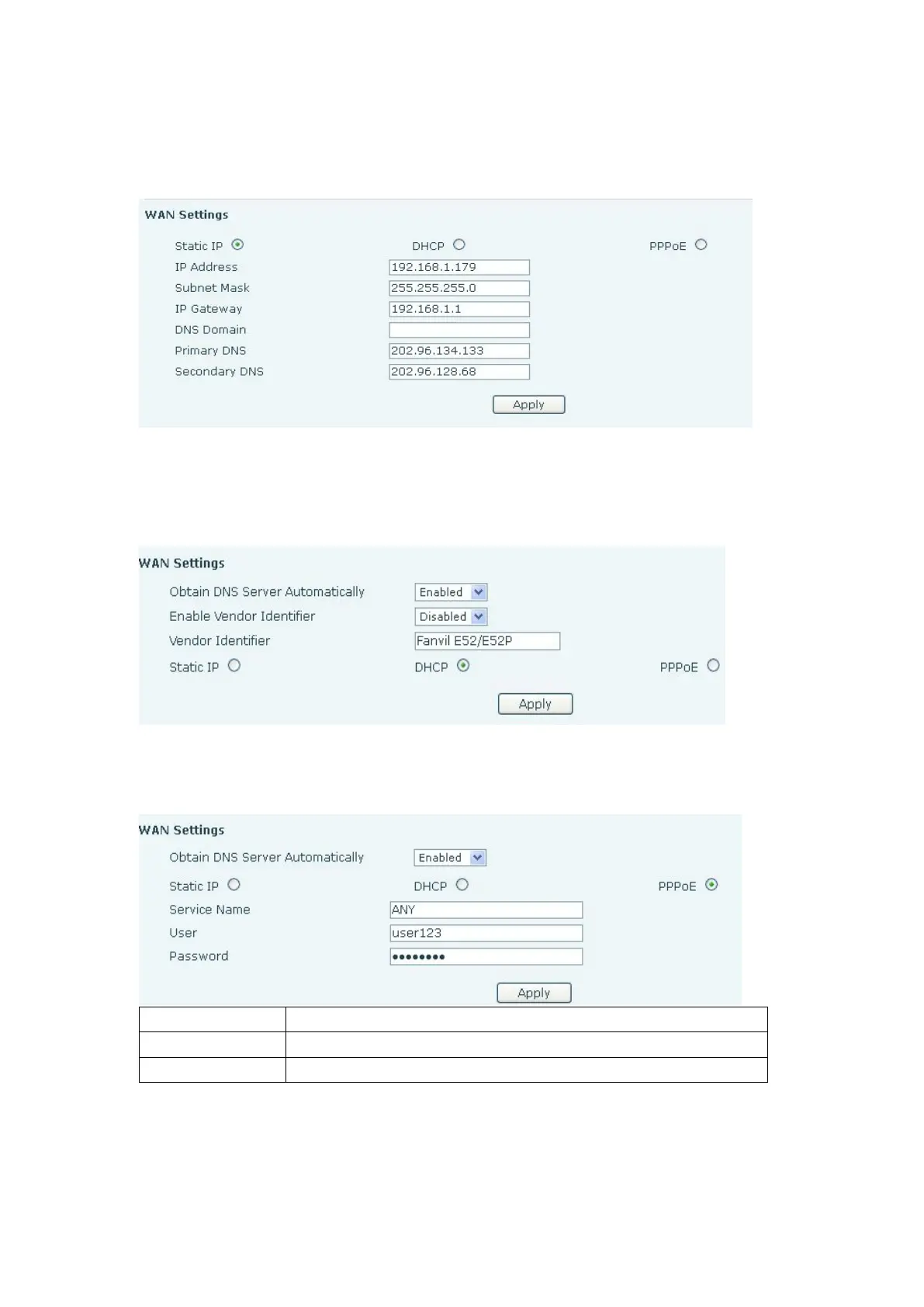
If Static IP is chosen, the screen below will appear. Enter values provided by the ISP.
If DHCP is chosen, all configuration information will be provided by a DHCP server. Contact
the ISP to determine if DHCP is used.
If PPPoE is chosen, the screen below will appear. Enter the information provided by the ISP.
IP Address or name of DSL Server
DSL User Name or Login ID
After entering the new settings, click the APPLY button. The phone will save the new
settings and apply them. If a new IP address was entered for the phone, it must be used to
login to the phone after clicking the APPLY button.


 To Next Page