Set the local IP address of device.
Set the LAN (inside) port for NAT mapping
Set the WAN (outside) port for NAT mapping
Note: After entering settings, click the Add button to add new mapping table data. To delete
an entry, enter its information and then click the Delete button.
Notice: The phone supports 10M/100M adaptive. Under loaded conditions traffic through the
phone NAT may not reach 100M.
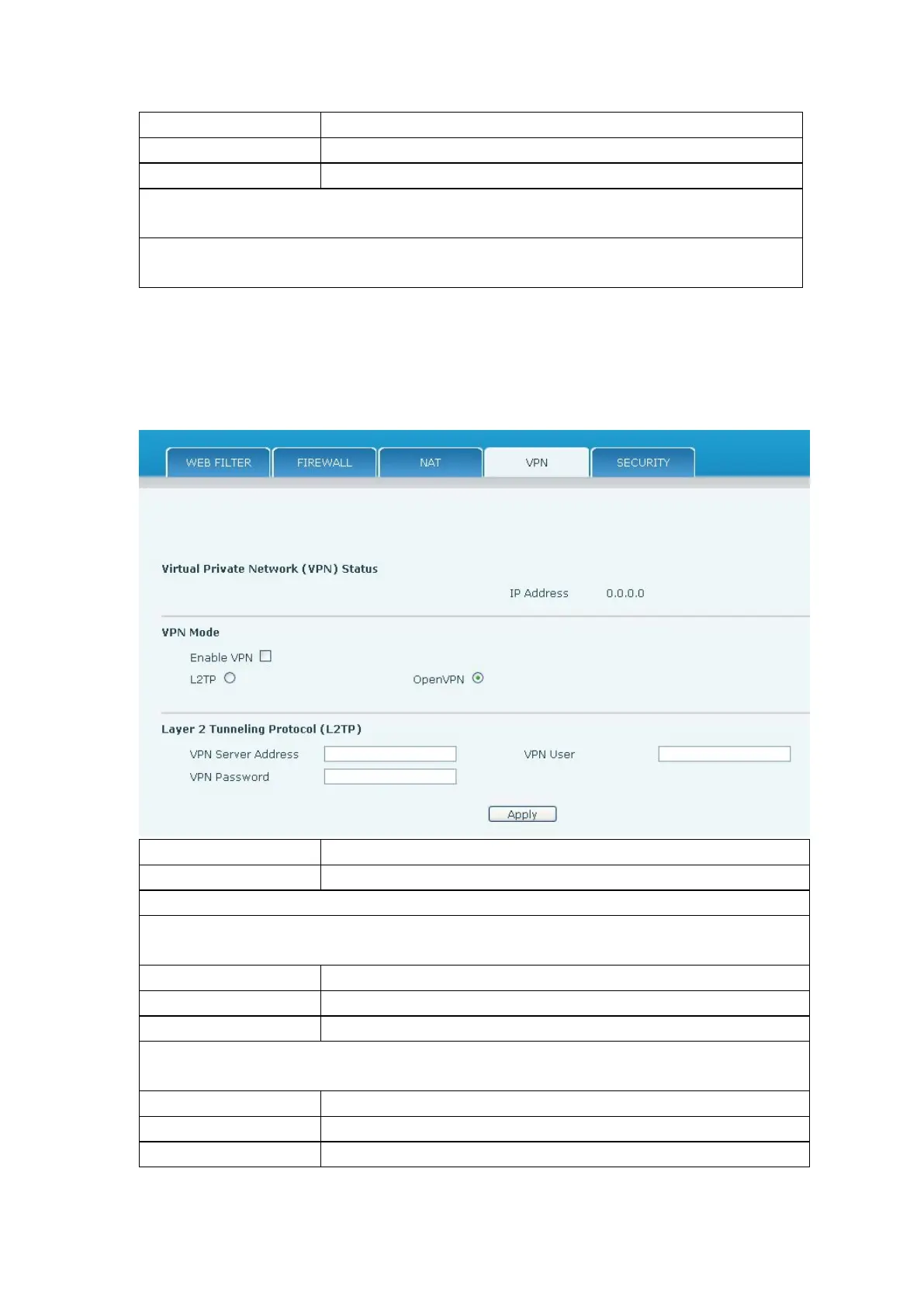
The phone supports remote connection via VPN. It supports both Layer 2 Tunneling
Protocol (L2TP) and OpenVPN protocol. This allows users at remote locations on the public
network to make secure connections to local networks.
Shows the current VPN IP address.
Select L2TP. You can choose only one for current state. After you select it, save the
configuration and reboot the phone.
Select Layer 2 Tunneling Protocol
Only one protocol may be activated. After the selection is made, the configuration should be
saved and the phone rebooted.
Set VPN L2TP Server IP address.
Set User Name access to VPN L2TP Server.
Set Password access to VPN L2TP Server.



 To Next Page