The Web filter is used to limit access to the phone. When the web filter is enabled, only the IP
addresses between the start IP and end IP can access the phone.
Beginning IP Address for MMI Filter
Ending IP Address for MMI Filter
Add this filter range to the Web Filter Table
Select to enable MMI Filter.
Make filter settings effective.
Note: Once a range is added, it can be modified or deleted.
Note: Be sure that the filter range includes the IP address of the configuration computer.
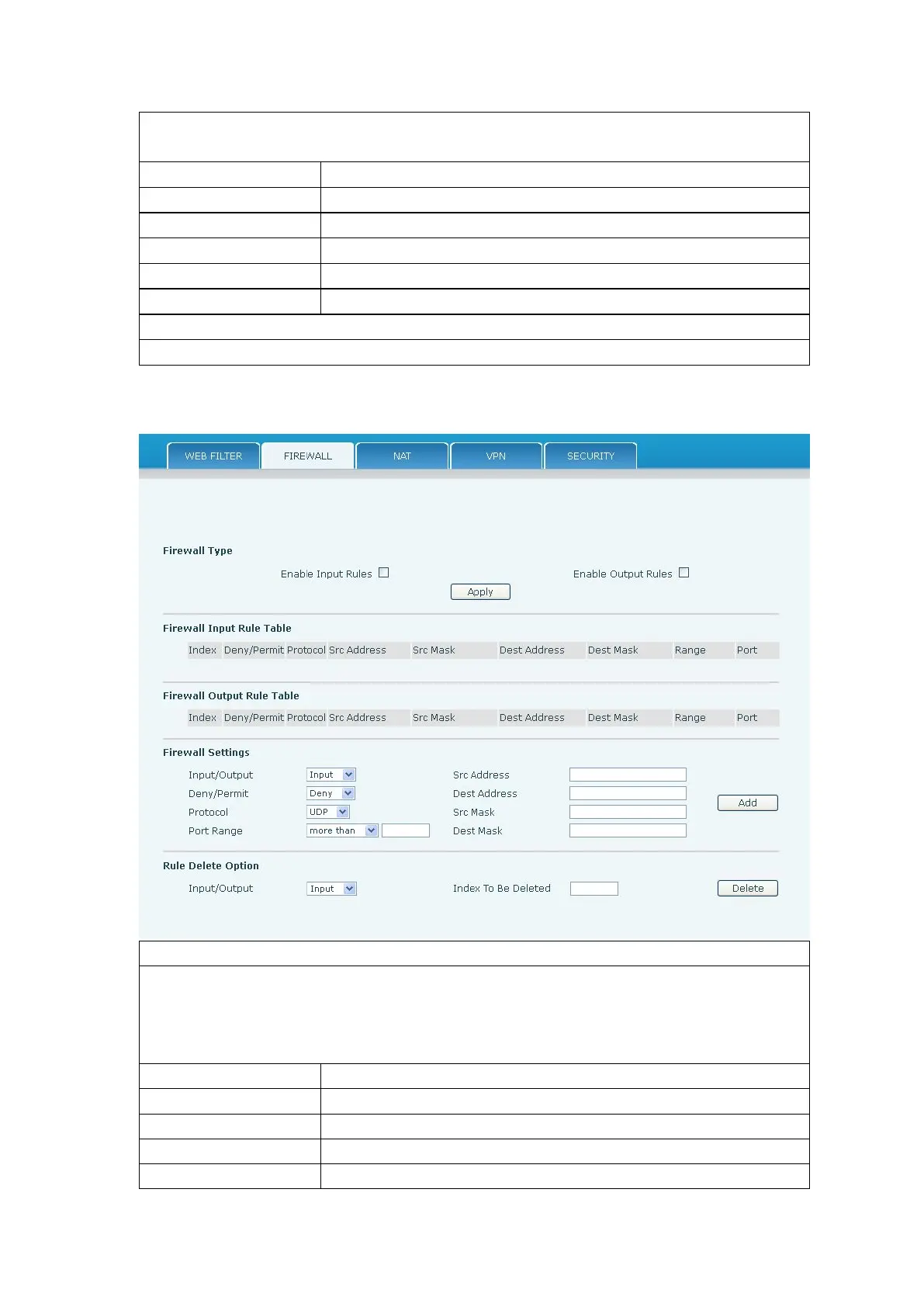
Firewall rules can be used to prevent unauthorized Internet users from accessing private
networks connected to this phone (input rule), or prevent unauthorized devices connected to
this phone from accessing the Internet (output rule). Each rule type supports a maximum of
10 items.
Enable rules limiting access from the Internet.
Enable rules limiting access to the Internet.
Specify if the current rule is input or output.
Specify if the current rule is Deny or Permit.


 To Next Page