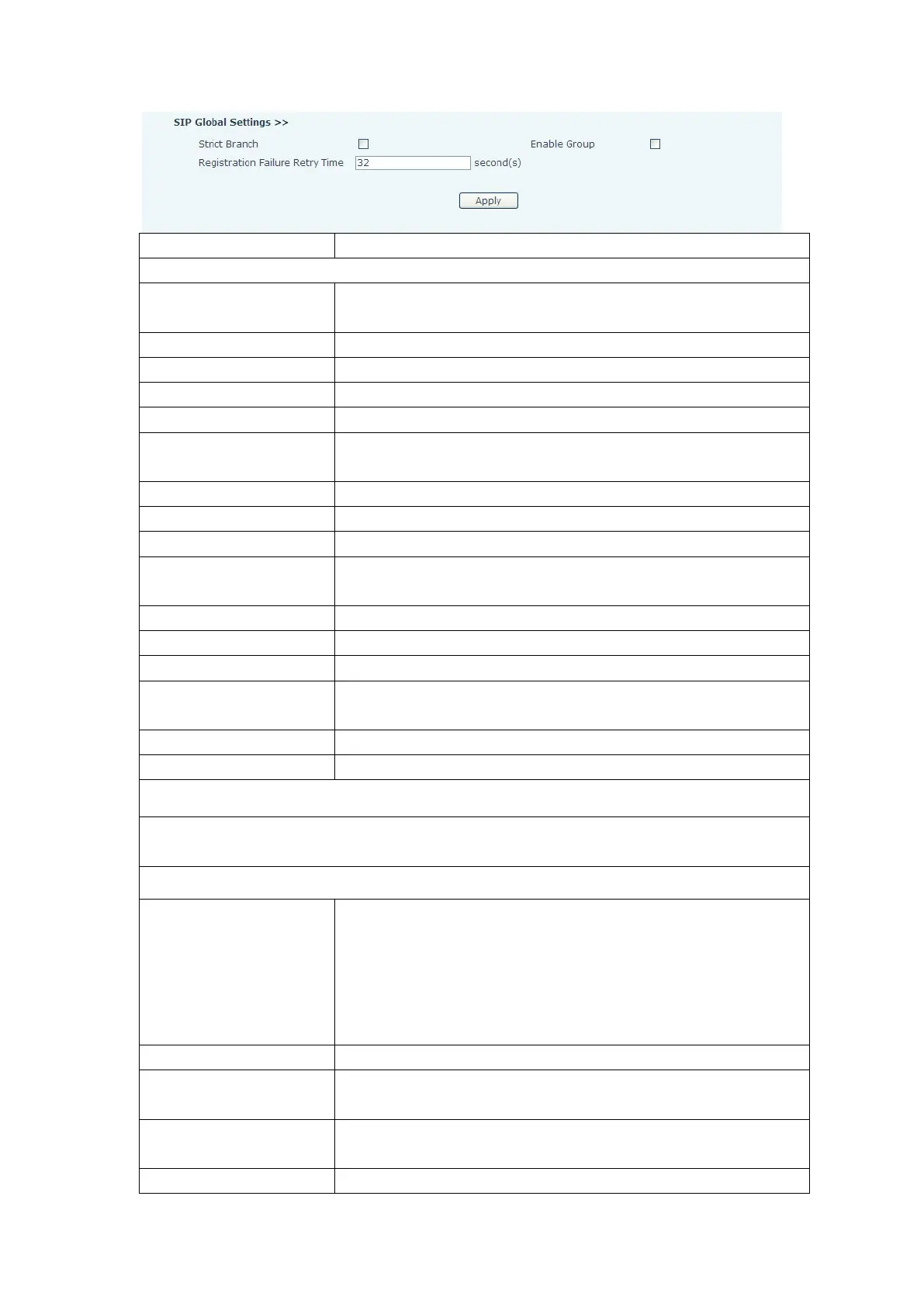
Choose the sip line to configured (SIP 1 – SIP2). Click the dropdown arrow to select the line.
Shows registration status. Will show “Registered” if registered
or “Unapplied” if not registered.
SIP server IP address or URI.
SIP server port. Default is 5060.
SIP account name (Login ID).
SIP registration password.
Phone number assigned by VoIP service provider. Phone will not
register if there is no phone number configured.
Set the display name. This name is shown on Caller ID.
Check to submit registration information.
SIP Domain if different than the SIP Registrar Server.
SIP proxy server IP address or URI
(
This is normally the same as
the SIP Registrar Server)
SIP Proxy server port. Normally 5060.
SIP Proxy server account.
SIP Proxy server password.
Backup SIP Server Address or URI (This server will be used if the
primary server is unavailable)
Name of SIP Backup server
Click on the desired codec to select it. Then use the vol-/vol+ keys to move to the Enabled or
Disabled List. Use the Up/Down arrow to change the priority of enabled codecs.
There are 3 call forwarding modes plus Disabled.
Disabled:No call forwarding – Default mode
Busy:If the phone is busy, incoming calls will be forwarded.
No answer:If there is no answer, incoming calls will be forwarded
after a specified time.
Always:All incoming calls will be forwarded.
Number to which calls are to be forwarded.
Used in conjunction with Call Forward No Answer. Wait time in
seconds before call is forwarded.
Time interval between sending “bye” message and hanging up
after the phone transfers a call.
Activate Hot Line feature. Automatically call a number by going


 To Next Page