Chapter 2 Basic Operation 2-11
2. 4 Replacing Toner Cartridge
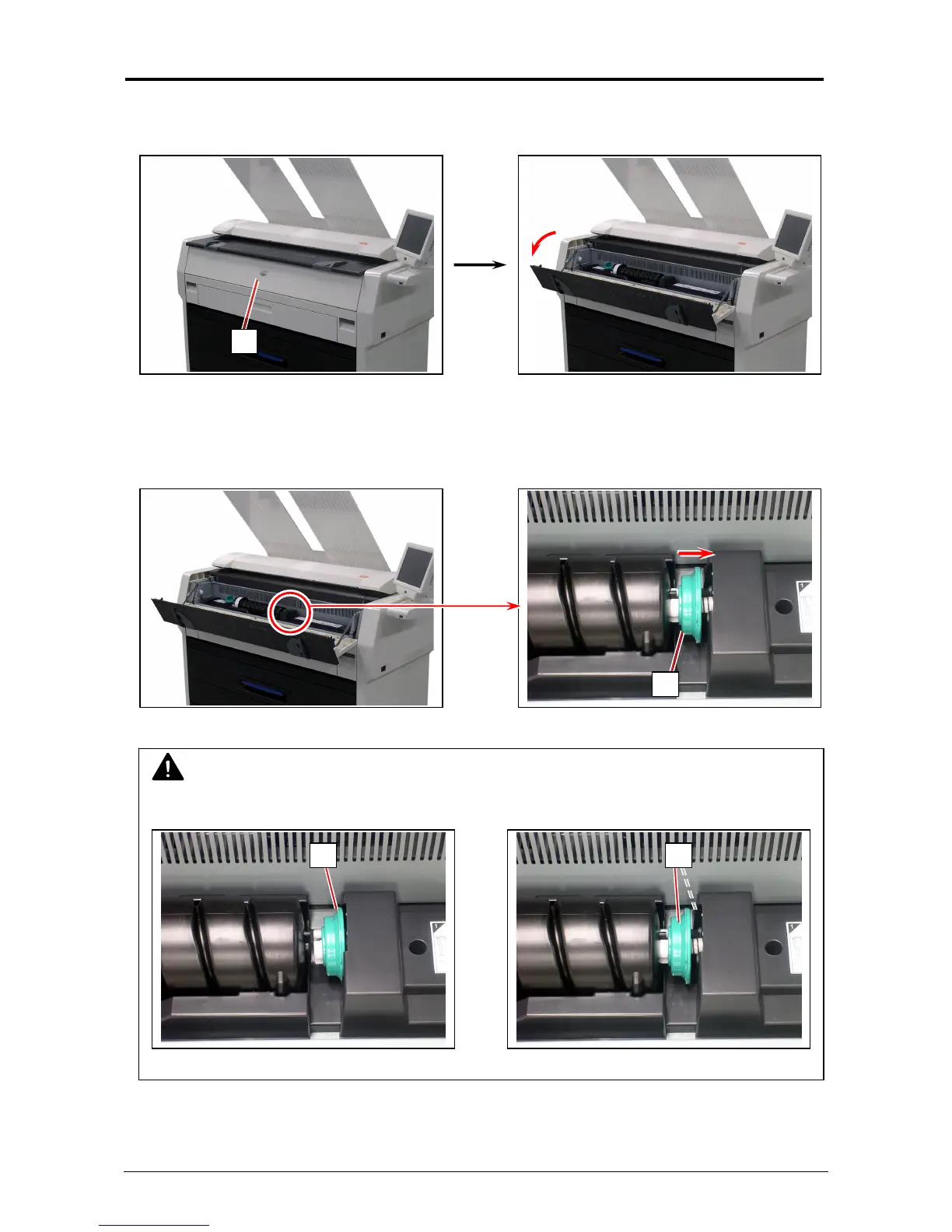
1. Open the Toner Hatch (1).
2. Slide the green Lever (2) to the right to unlock the Toner Cartridge.
(Lever (2) is held automatically.)
NOTE
Be sure to unlock the Toner Cartridge by releasing the green Lever (2).
Correct: disengaged Wrong: not disengaged
1
2
2 2



 To Next Page