Chapter 3 Error Correction 3-11
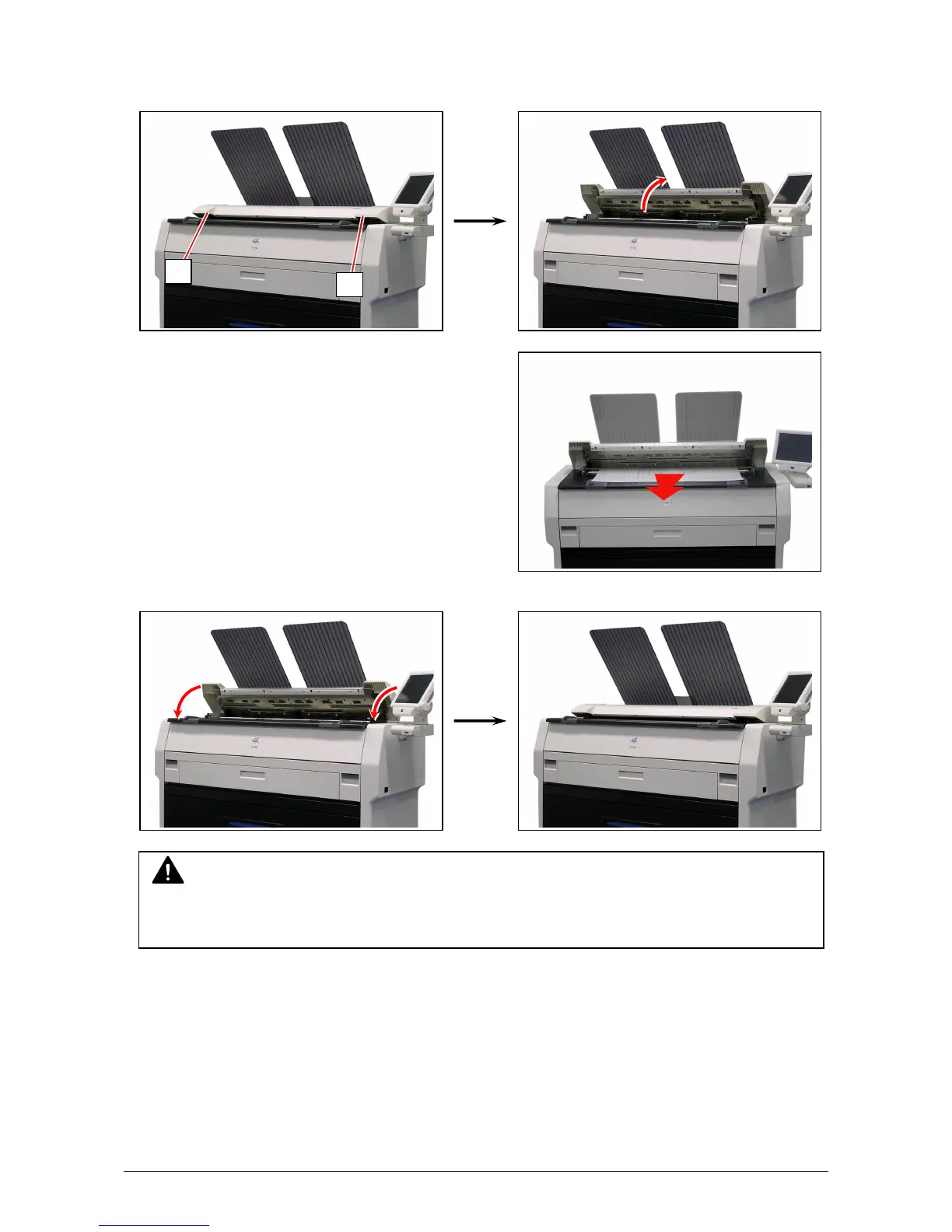
3. 1. 6 Original Jam
1. Open the Scanner Unit pulling up the Levers (1), and then remove the original.
2. Gently press Scanner Unit down and firmly close it.
3. 1. 7 Accessory Jam
The printing paper is mis-fed in the optional device such as Auto Stacker or Folder.
Remove the mis-fed paper making reference to the User’s Manual of concerning device.
NOTE
Press down Scanner Unit on both the sides to close it.
Do not close it by pressing only one side down.
1
1



 To Next Page