Chapter 3 Error Correction 3-6
3. 1. 3 Reg. Jam / Internal Jam
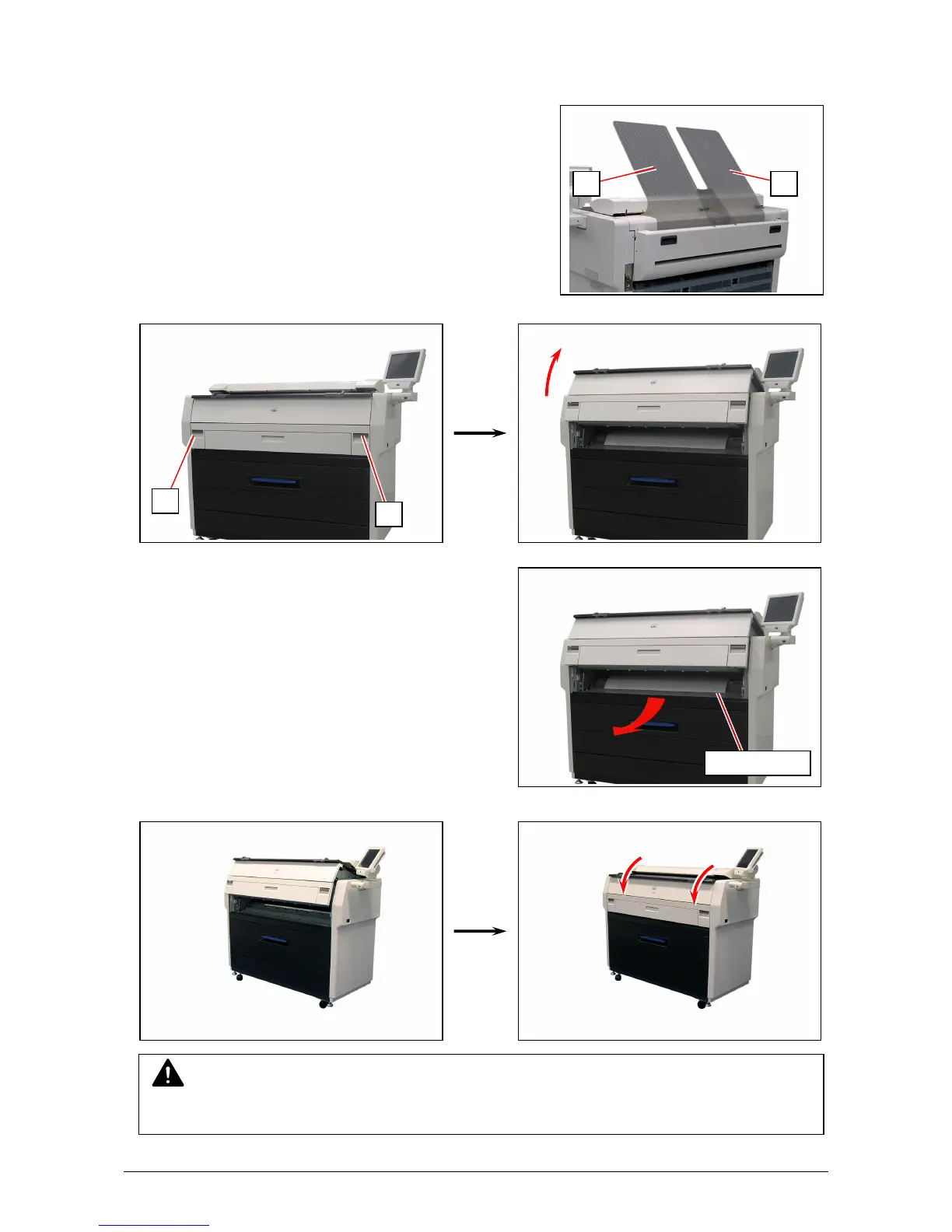
1. Remove Print Trays (1).
2. Pull up the Engine Unit Open Levers (1) to open the Engine Unit.
3. Remove the mis-fed paper.
4. Gently close the Engine Unit.
5. Replace Print Trays in the original position.
NOTE
Be sure to close the Engine Unit firmly until it locks at the correct position.
1
1
1 1
mis-fed media



 To Next Page