Chapter 3 Error Correction 3-7
3. 1. 4 Fuser Jam
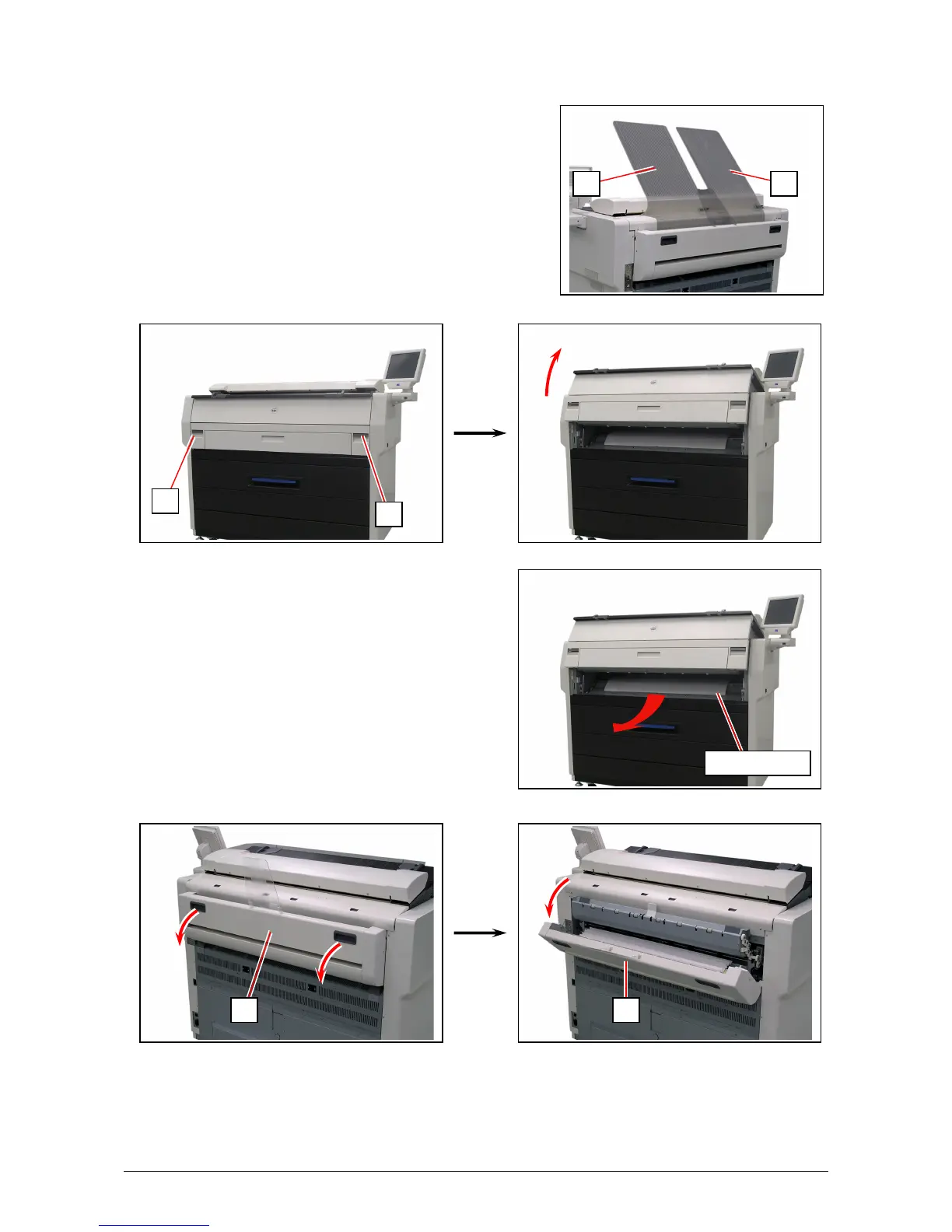
1. Remove Print Trays (1).
2. Pull up the Engine Unit Open Levers (2) to open the Engine Unit.
3. Remove the mis-fed paper.
If the mis-fed paper cannot be seen or removed,
leave the media and go to the next step.
4. Hold the gray handles and open the Exit Cover (3).
2
2
3
1 1
3
mis-fed media



 To Next Page