Chapter 3 Error Correction 3-8
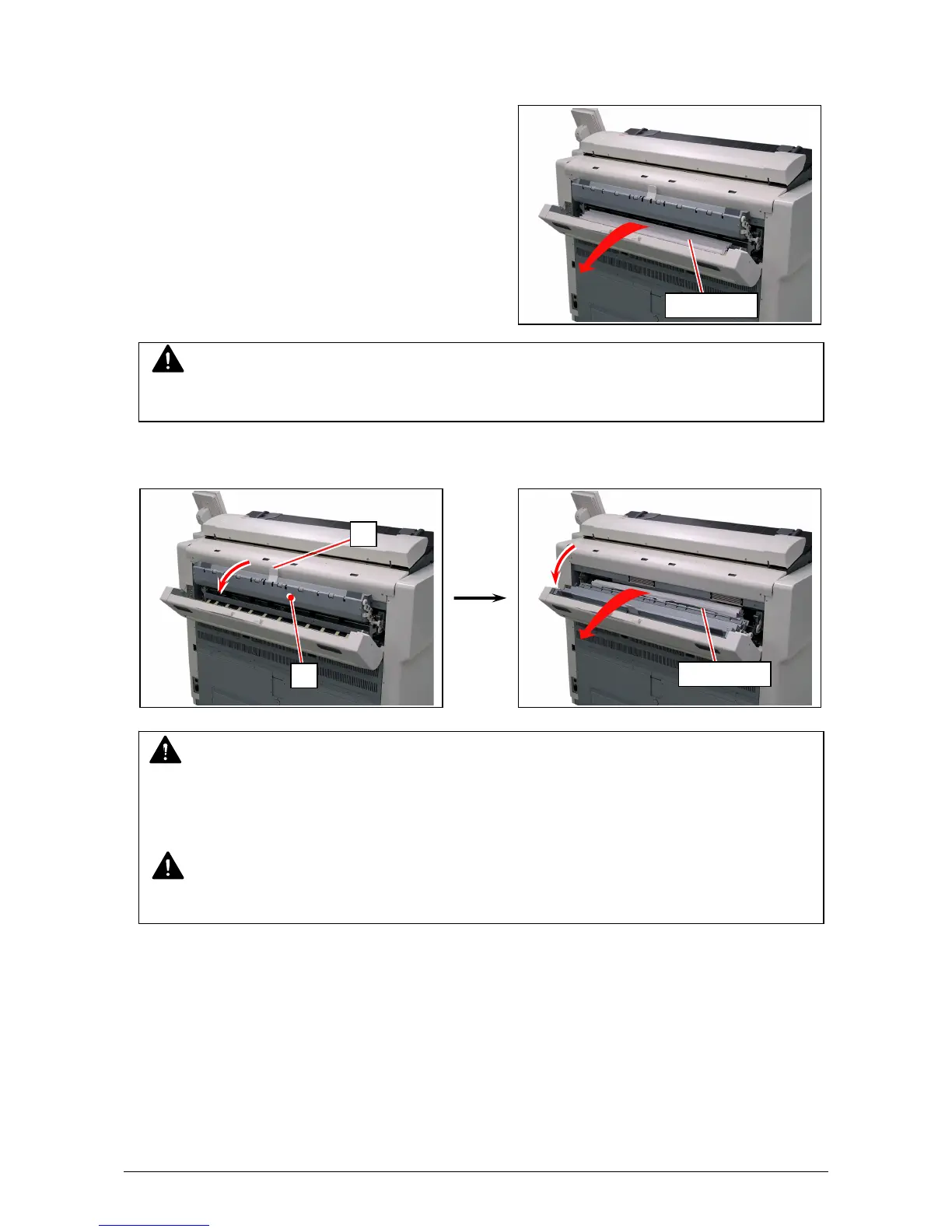
5. Pull and remove the jammed print to the rear.
If you remove the print at this time, just close the Exit Cover.
If the print cannot be removed, go to the next step.
6. Hold the white handle (4) and release the Fuser Door (5).
Pull and remove the jammed print to the rear.
NOTE
If removed a mis-fed paper inside the Exit Cover, scattered toner can be adhered to the next
print.
WARNING
There are extremely hot parts inside the Fuser Door.
Do not touch any parts in the Heater Unit, or you will be burnt.
Also be careful not to get burnt when you touch the printing paper as it may be very hot.
NOTE
If removed a mis-fed paper inside the Fuser Door, scattered toner can be adhered to the
next



 To Next Page