Chapter 3 Error Correction 3-11
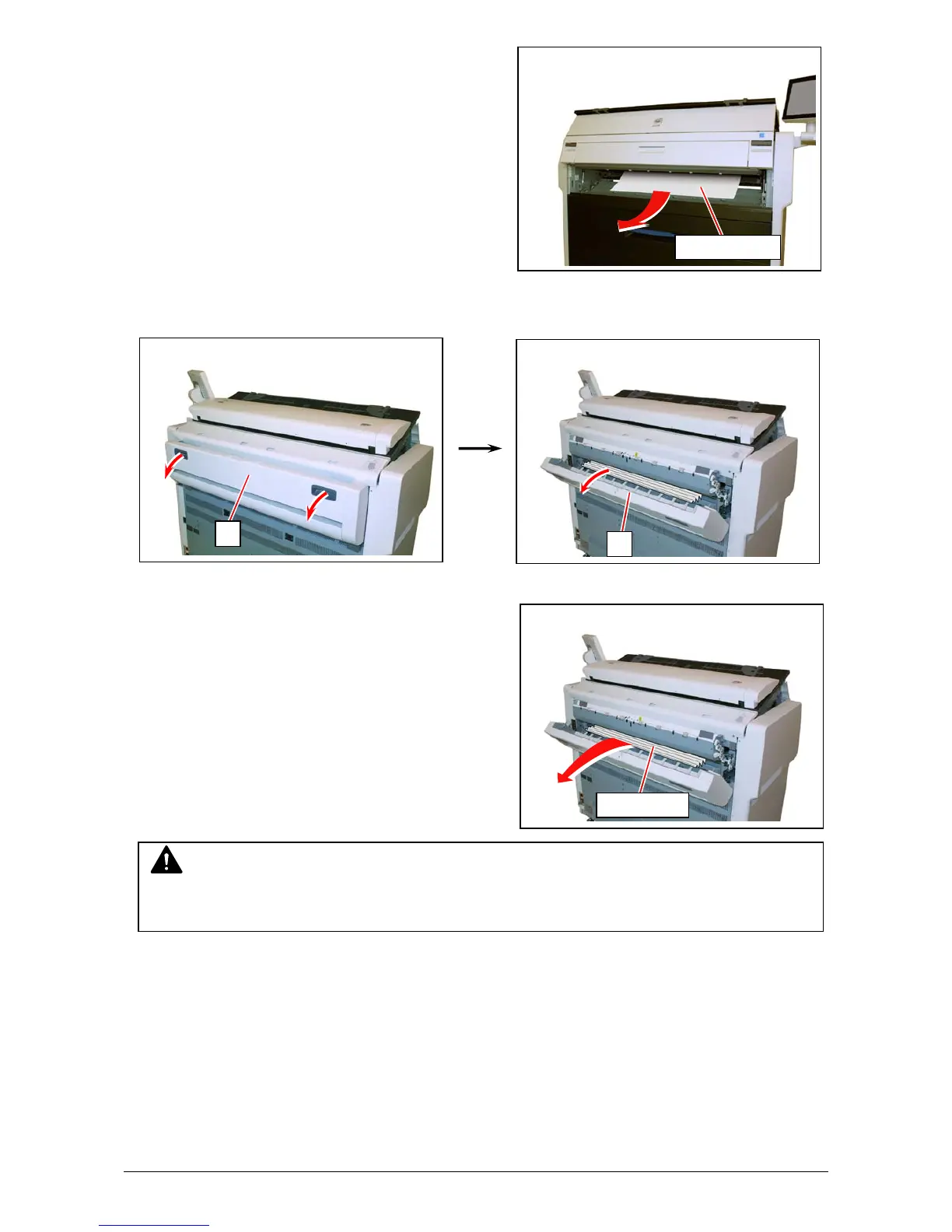
3. Remove the mis-fed paper.
If the mis-fed paper cannot be seen or removed,
leave the media and go to the next step.
If the paper (including any torn part) can be
removed, go to step 8.
4. Hold the gray handles and open the Exit Cover (3).
5. Pull and remove the jammed print to the rear.
If you remove the print at this time, just close the
Exit Cover.
If the print cannot be removed, go to the next step.
If the print (including any torn part) can be
removed, go to step 8.
mis-fed media
3
3
NOTE
If removed a mis-fed paper inside the Exit Cover, scattered toner can be adhered to the next
print.
jammed print



 To Next Page