Chapter 2 Basic Operations 2-15
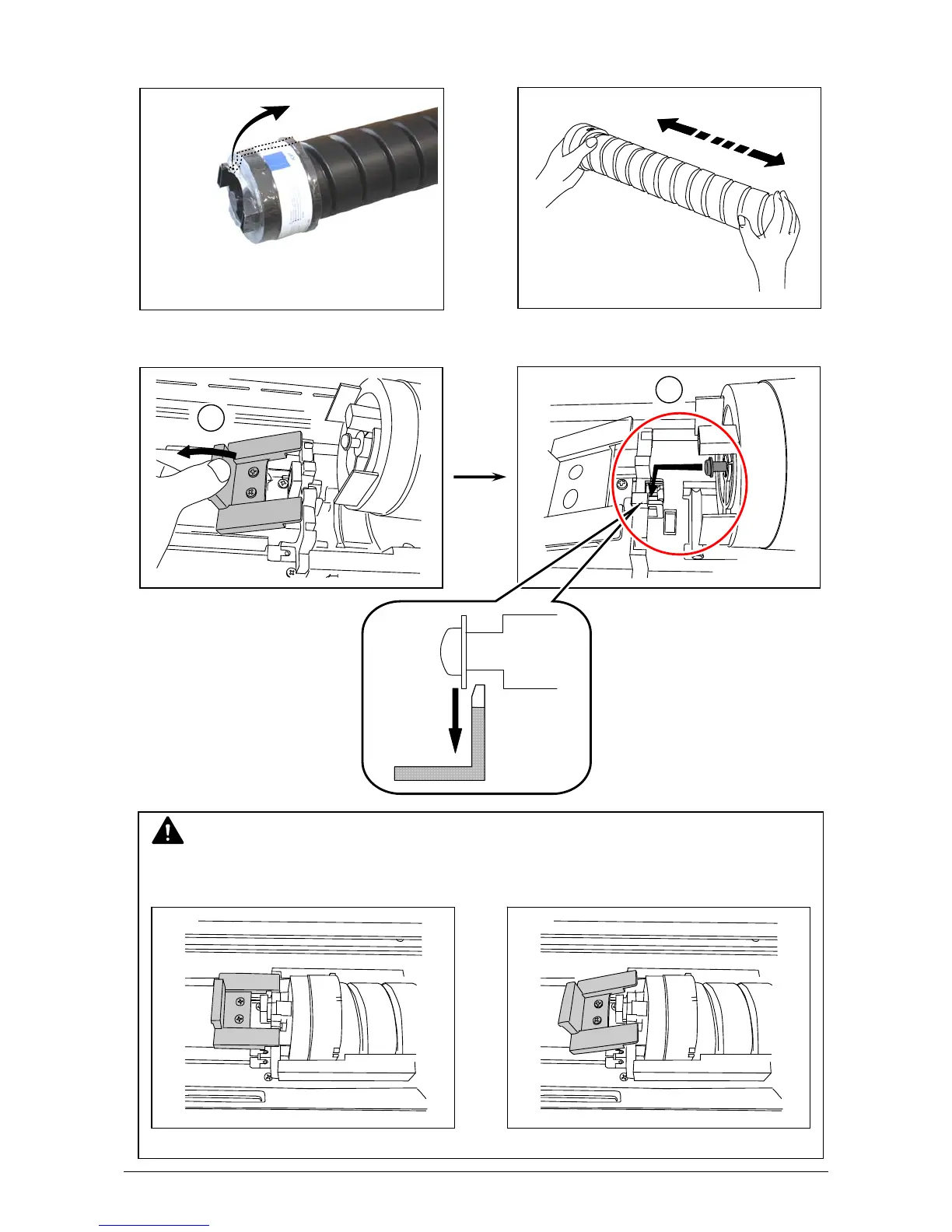
6. Peel off the wrap on the toner supply hole of Toner Cartridge.
Shake a new Toner Cartridge several times right and left to make the toner smooth.
7. Press the green lever down until it clicks. Insert the far left pin on Toner Cartridge into the slot
firmly. (Please direct the opening on Toner Cartridge downward at this time.)
NOTE
Please confirm that the green lever firmly locks the Toner Cartridge at the correct position.
(It must be at a level position.)
Correct: Green Lever in position Wrong: Toner Cartridge not locked
OK NG
1
2



 To Next Page