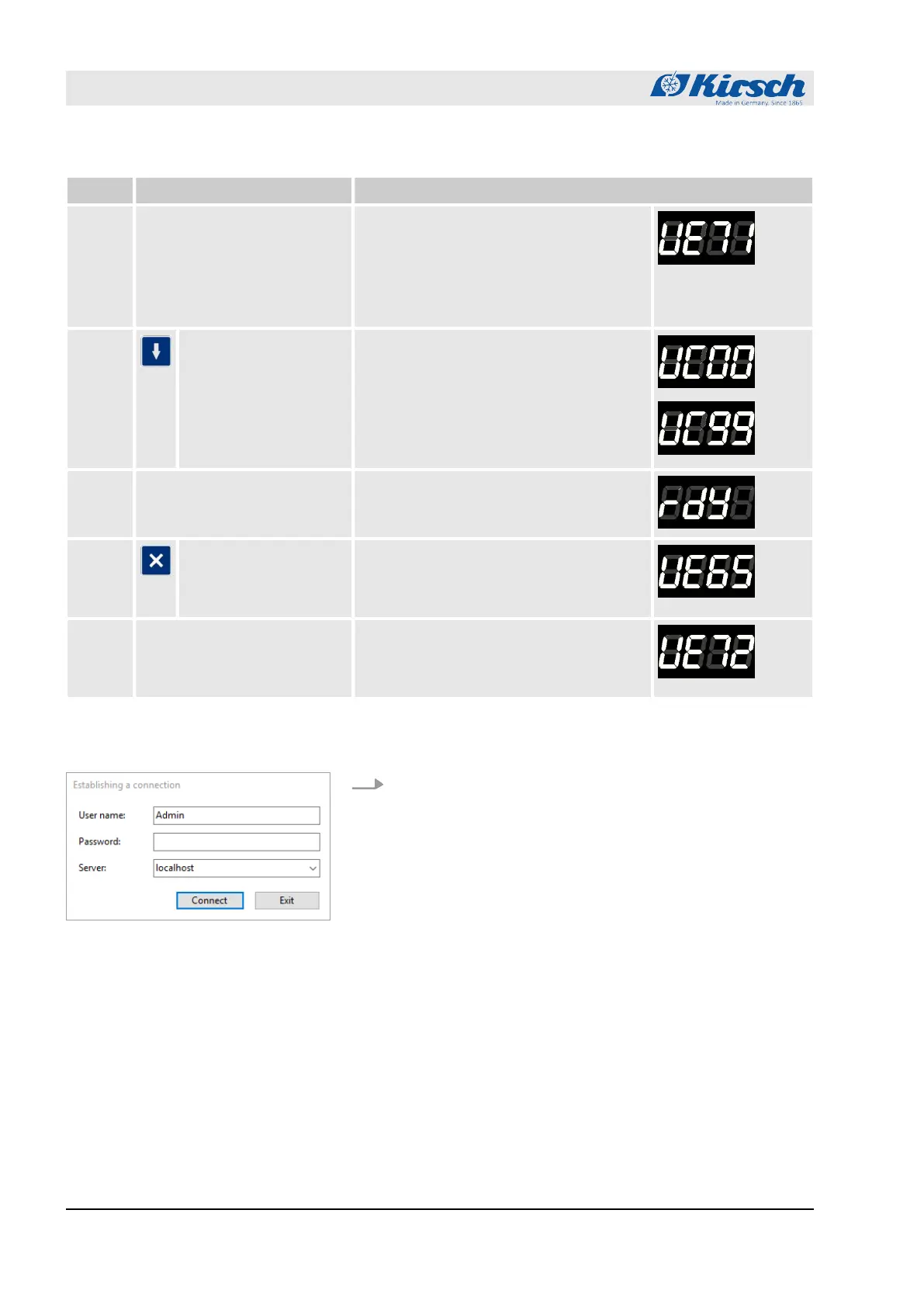
No.: Instruction Display
USB stick error
Data read-out failed, re-initialization
required. To do so, turn off the unit by the
key switch. Then disconnect the unit from
the mains for 1 minute. Then restart the
unit and start data reading
2 Press the Start key The data are then copied to the USB
stick.
CAUTION: When copying, never remove
the USB stick (see 5.)! Otherwise, the
data get corrupt or will be unreadable. If
necessary, cancel the process first (see
4.).
3 Once all data are successfully copied, the
message ‘rdy’ appears. The USB stick
can then be removed.
4 Cancel by the stop
button
If required, you can cancel the copying by
pressing the Stop button. As soon as you
see "rdy", the USB stick can be removed.
The data is then incomplete.
5 Error message If the stick is removed during the copying,
this message appears for approx. 5 sec-
onds. After that you again see the usual
temperature display.
1. Open the KIRSCH Datanet software client and log in as an
admin.
Import the data into Kirsch Datanet
Operation
Data reading-out on the unit with PC-KIT-STICK
23.05.2023Refrigerator/freezer MED series46



 To Next Page