10.1 Aux Input (Mini TRS)
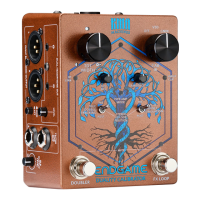
To connect an auxiliary audio device to ENDGAME (for the purpose of baking tracks, instruments
such as drum machines or any other external audio device monitoring), proceed as follows:
1. Connect the stereo output of your device to ENDGAME’s AUX IN 3.5 mm Mini TRS input.
Your device should now be able to play audio through the respective outputs of the
ENDGAME.
2. Adjust the AUX MIX control on the top panel to adjust/blend the external audio level in
balance to ENDGAME’s signal. For more information, see the
“Aux Mix” section.
Please ensure that your external device is providing sufcient level to the ENDGAME before
adjusting the control.


 To Next Page