11
SW 3400-001: KI Recorder
• Saving / loading reference curves
Up to 5 batch reference curves can be stored on and retrieved
from a SmartMedia card:
Parameter setting / System control / KI batch recording
The reference curve, envelope, time response and KI settings are
saved.
• Archiving of completed batch processes
Complete batch results can be archived on the SmartMedia card.
All reference values and current batch data are stored in the
archive.
Display
KI recorder: Batch process
Evaluation
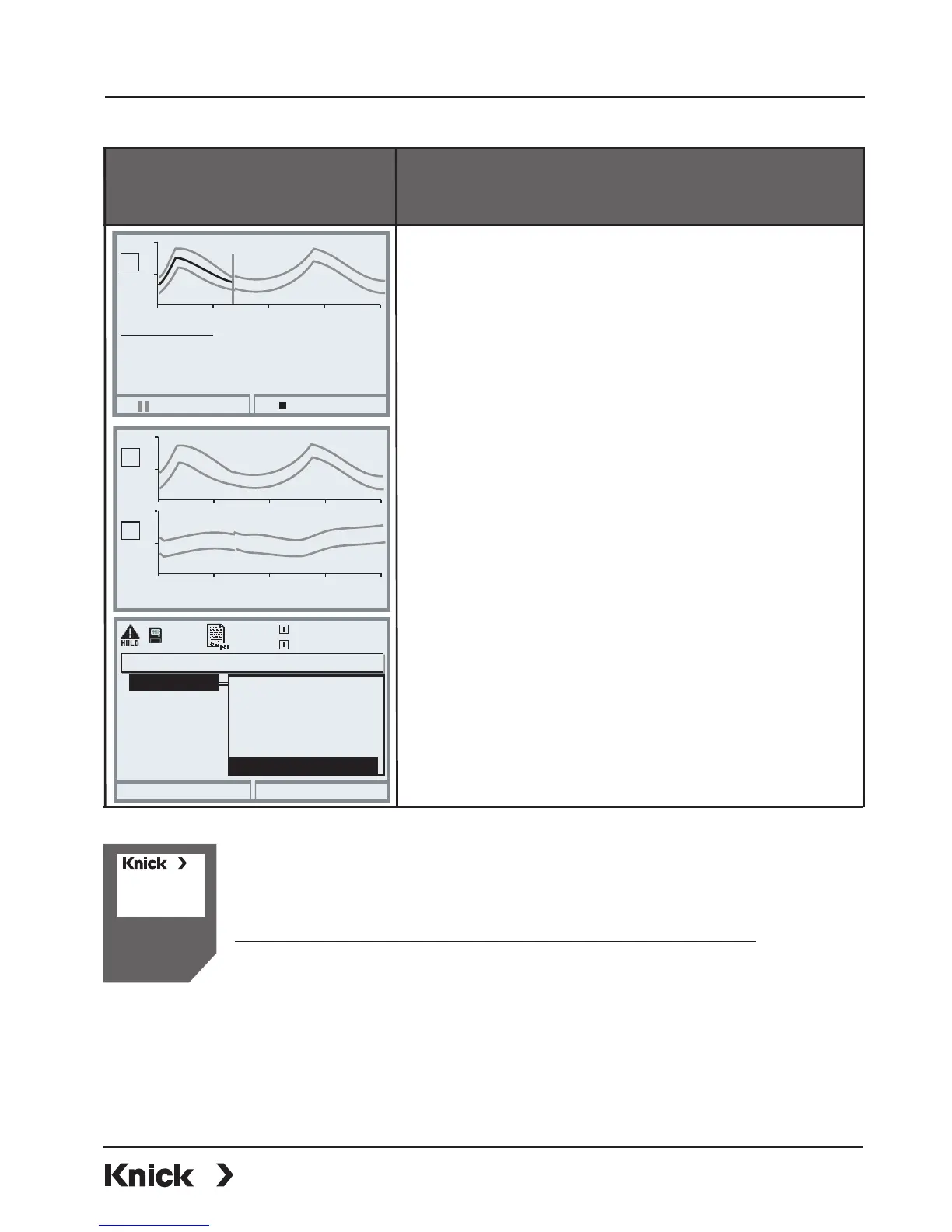
Within the “KI recorder” function you can evalu-
ate a reference curve directly on the device.
To do so, use the arrow keys (up/down).
The reference curves and the most important
parameters are displayed one after the other.
KI pause
KI stop
5
9
50 100 150 200
Evaluation channel 1:
pH
I
Control via OK2 input
5
9
50 100 150 200
20
27
0
50 100 150 200
pH
°C
I
I
External control
A Start/Stop function can be remote-controlled
via the OK2 input (BASE module) or via the
COMPA 3400(X)-081 PROFIBUS module
(To set the control element, call:
Parameter setting / System control /
Function control matrix).
The softkeys will then be deactivated.
The K1, K2, and K3 contacts of the BASE
module can be assigned to the “KI rec active”
signal.
Contact K3
Return
25.6 °C
7.00 pH
Limit value
Contact type
NAMUR maintenance
Usage
KI rec. active
Rinse contact
NAMUR HOLD
End
Start
Deviation
Process duration
9.00 pH
5.00 pH
10 %
10 h
Max
Min
Max. deviation
Messages
8.35 pH
5.80 pH
7 %
0x



 To Next Page