10
Protos 3400(X)
SW 3400-001: KI Recorder
Display
KI recorder: Batch process
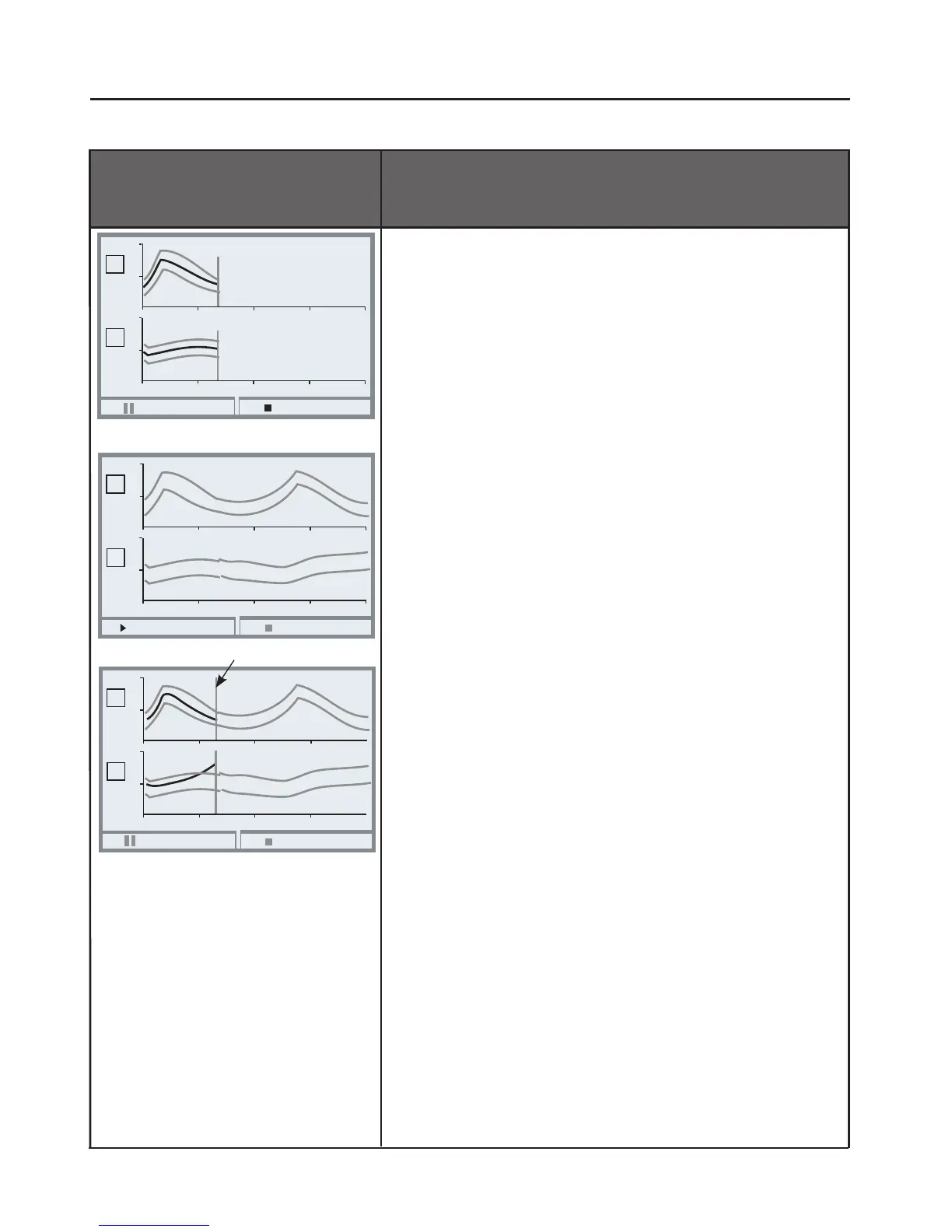
Recording a reference curve
Start “Record” with left softkey.
Reference value and envelope are displayed
during the recording process. At the end of
recording or after “KI stop” the KI recorder
switches to control mode.
KI pause
KI stop
5
9
50 100 150 200
20
27
0
50 100 150 200
pH
°C
I
I
KI start
KI stop
5
9
50 100 150 200
20
27
0
50 100 150 200
pH
°C
I
I
In control mode only the envelope is visible.
Batch control
After a synchronous start the recorder monitors
whether the currently measured values remain
within the envelope.
Every deviation can trigger a message.
KI pause: Stops the recorder.
KI stop: Terminates control.
Pressing “Continue” restarts a stopped recorder.
Note: In HOLD mode (e.g. during calibration)
neither recording nor checking of a batch are
interrupted. The last measured value continues
to be used.
KI pause
KI stop
5
9
50 100 150 200
20
27
0
50 100 150 200
pH
°C
I
I
Cursor



 To Next Page