9
Menu Display KI recorder: Batch process
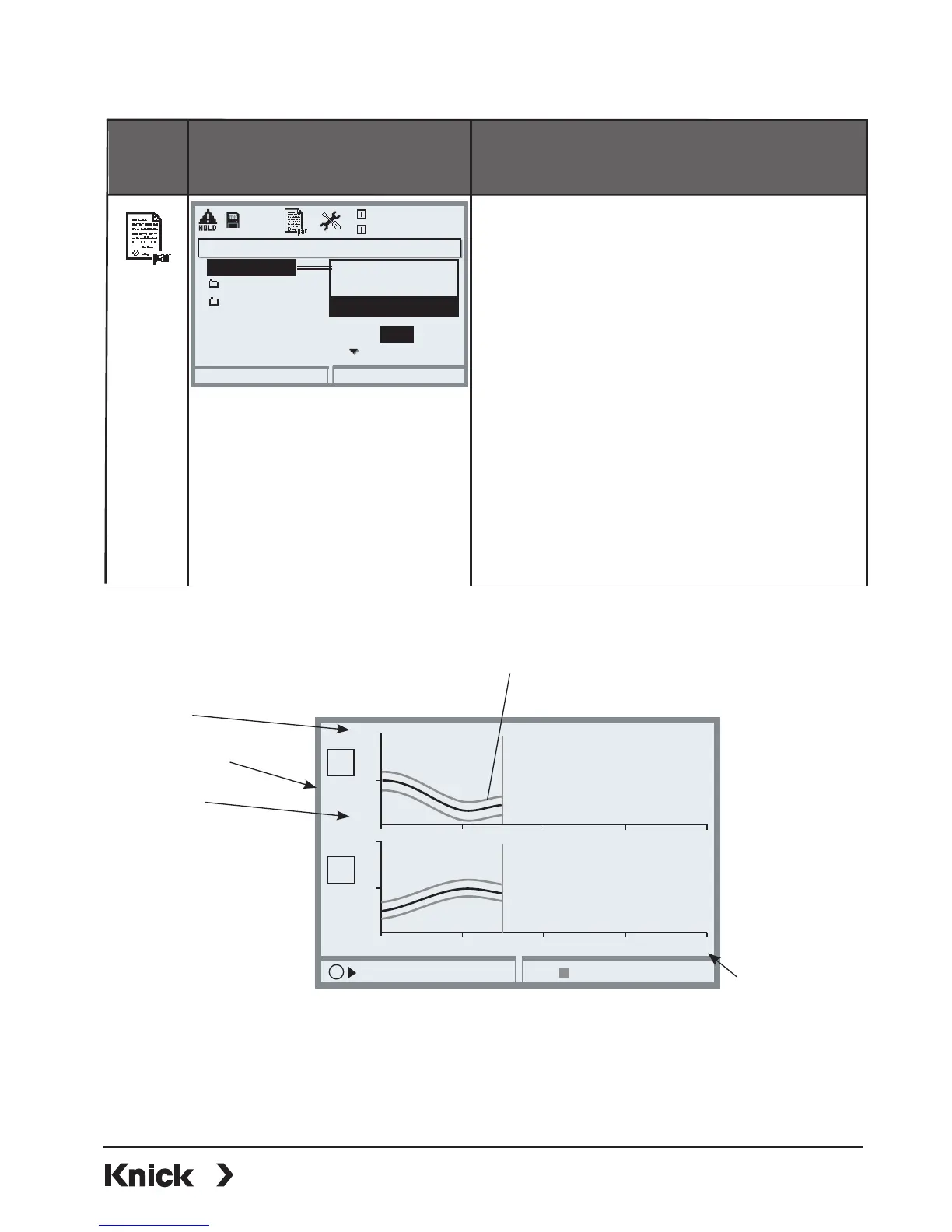
Configuring the KI recorder
• Parameter setting of FRONT module
• Select KI recorder
• Select the variables to be displayed
as well as the start, end values,
and deviation (%)
• Set process duration
(200 samples are recorded)
• Select “New record “Yes”
• Monitoring
(Off/Failure/Maintenance request)
Accessing the KI recorder
From the measuring mode:
Press meas key.
KI recorder (Administrator)
Return
25.6 °C
7.00 pH
Continuous process
Channel 1
Channel 2
New record Yes
Failure
Monitoring
Off
KI recorder
Batch process
Max. process duration
No
Record
KI stop
5
9
50 100 150 200
15
25
0
50 100 150 200
pH
°C
I
I
Parameters adjustable for batch operation
Variable
End
Start
Max. process
duration
Channel 1
Channel 2
The gray envelope represents the
deviation [%]
When the parameters are edited once more, the reference curve is
automatically re-adjusted to start, end and deviation.
When variable or process duration are changed, the curve will be deleted!
SW 3400-001: KI Recorder



 To Next Page