8
Protos 3400(X)
SW 3400-001: KI Recorder
Menu Display
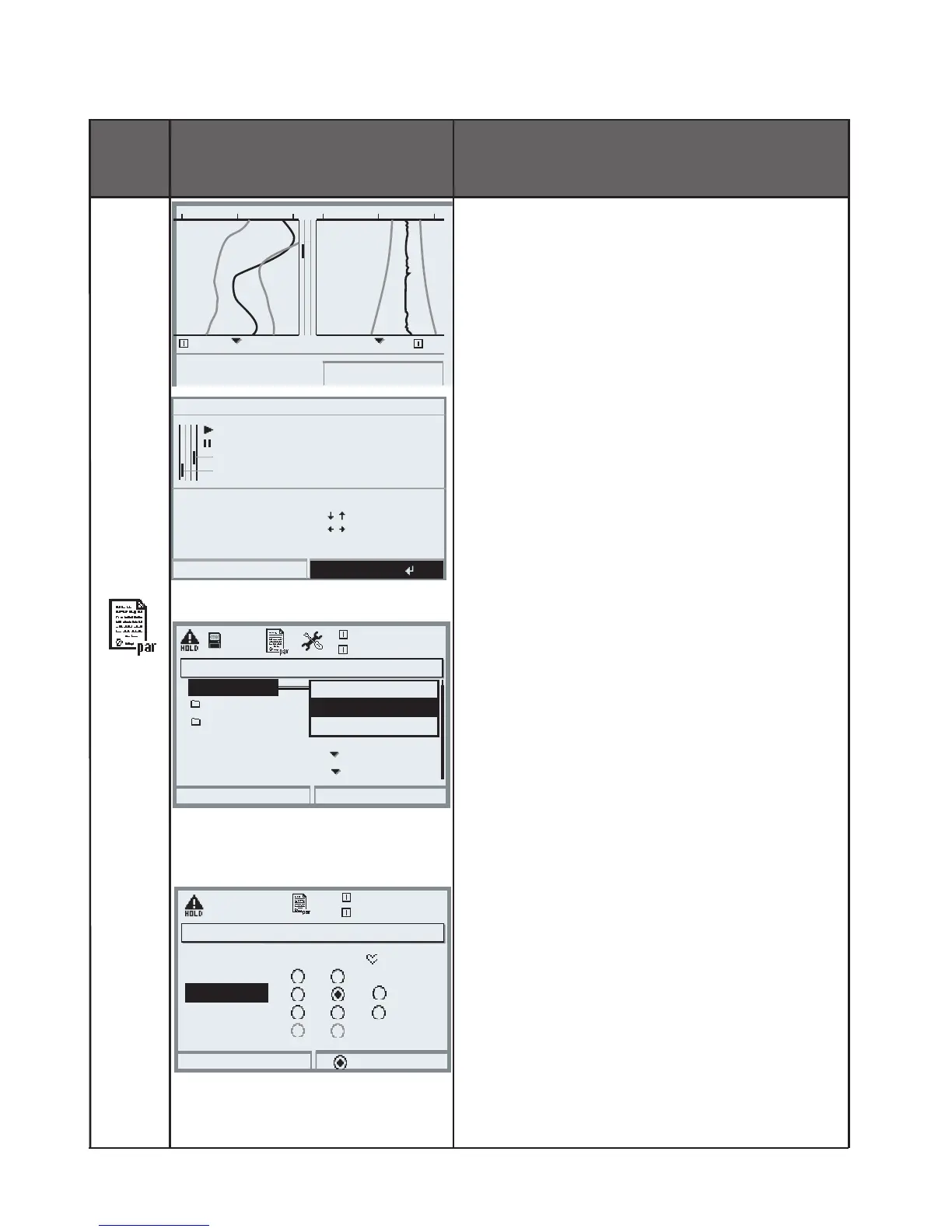
Configuring the KI recorder
KI recorder
Called directly from the
measuring mode:
Press meas key.
For function description,
press “Info” softkey
“Info” softkey
Explains icons and capabilities of the
KI recorder
Configuring the KI recorder
• Parameter setting of FRONT module
• Select KI recorder
• Select the variables to be displayed
as well as the start and end values
• Set the recording interval
(10 s ... 60 h) (per pixel)
• Monitoring
(Off/Failure/Maintenance request)
Controlling the KI recorder
Example:
Select softkey usage: “KI recorder”:
• Select parameter setting, then:
• System control
• Function control matrix
• Softkey : “KI rec. Start/Stop”
Close
Recording data
Wait - HOLD
Failure value channel 2
Failure value channel 1
Info on KI recorder
Keys
:
[enter]
[meas]
[menu]
Cursor to current
To meas. display
Call up menu
Cursor 1 line
Cursor 1/2 page
Info
°C
°C29.48.56
07/09/10
11:23
°C
22
°C
pH
pH,
pH5 pH
KI recorder
9
32
25.6°C
Input OK2
7.00pH
Return
Connect
Function control matrix (Administrator)
Left softkey
Right softkey
Profibus DO 2
ParSet KI rec. Fav Unical
– –
–
–
–
–
KI recorder (Administrator)
Return
25.6°C
7.00 pH
Batch process
Channel 1
Channel 2
Recording interval 10s
Failure
Monitoring
Off
KI recorder
Continuous process



 To Next Page