24
Protos 3400(X)
SW 3400-009: Concentration Table
Select menu: Parameter setting/System control/Concentration table
Specifying a concentration solution for conductivity measurement
Concentration table
To specify the customer-specific solution, 5 concentration values A-E are
entered in a matrix together with 5 temperature values 1-5.
To do so, first enter the 5 temperature values, then enter the respective
conductivity values for each concentration A-E.
These solutions will then be available in addition to the permanently stored
standard solutions (select “Table”).
Menu Display
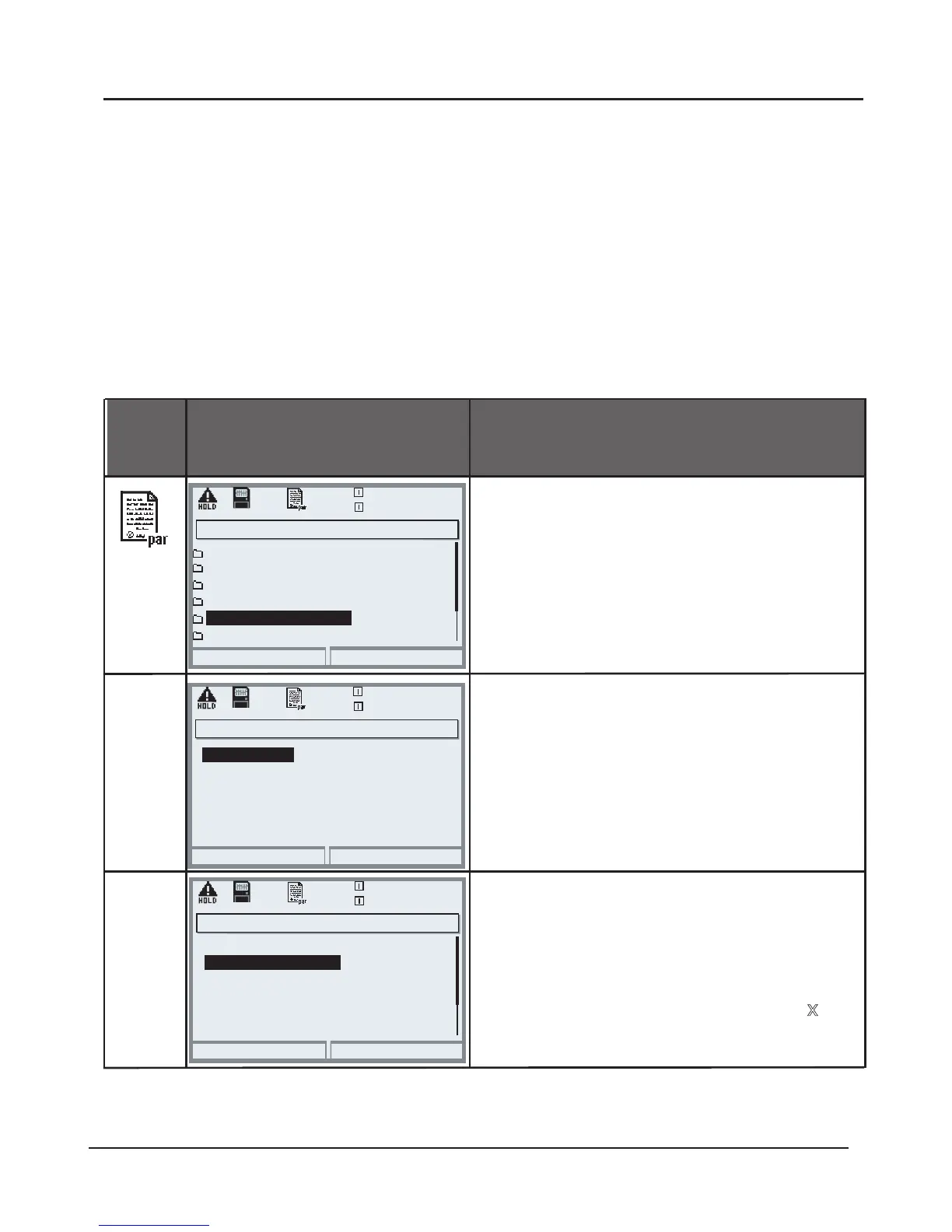
Entering a concentration table
To enter values
• Open parameter setting
• System control
• Select “Concentration table”
Enter 5 temperature values
(right/left arrow keys to select
position, up/down arrow keys to edit
number, confirm by pressing enter.)
Abort
25.6 °C
0.020 mS/cm
Temperature 2
Temperature 3
Temperature 1
Concentration table (Administrator)
Enter values for concentrations A-E
for the respective temperatures. The
table values must be continuous.
Maxima/minima are not permitted.
Incorrect entries are marked with
.
The concentration table is selected as follows:
Parameter setting/Module COND/Cal preset values/Automatic/Table.
Temperature 4
Temperature 5
+005.0 °C
+010.0 °C
+015.0 °C
+020.0 °C
+000.0 °C
OK
Abort
OK
Return
25.6 °C
0.020 mS/cm
Point of measurement
Logbook
Factory setting
Release of options
Calculation Blocks
Concentration table
System control (Administrator)
25.6 °C
0.020 mS/cm
Concentration A:
3. Cond at +010.0 °C
4. Cond at +015.0 °C
2. Cond at +005.0 °C
5. Cond at +020.0 °C
1. Cond at +000.0 °C
Concentration table (Administrator)
0.000 µS/cm
0.000 µS/cm
0.000 µS/cm
0.000 µS/cm
0.000 µS/cm
05.00 % by wt



 To Next Page