44
Protos 3400(X)
Menu Display
Saving firmware
to software-update card
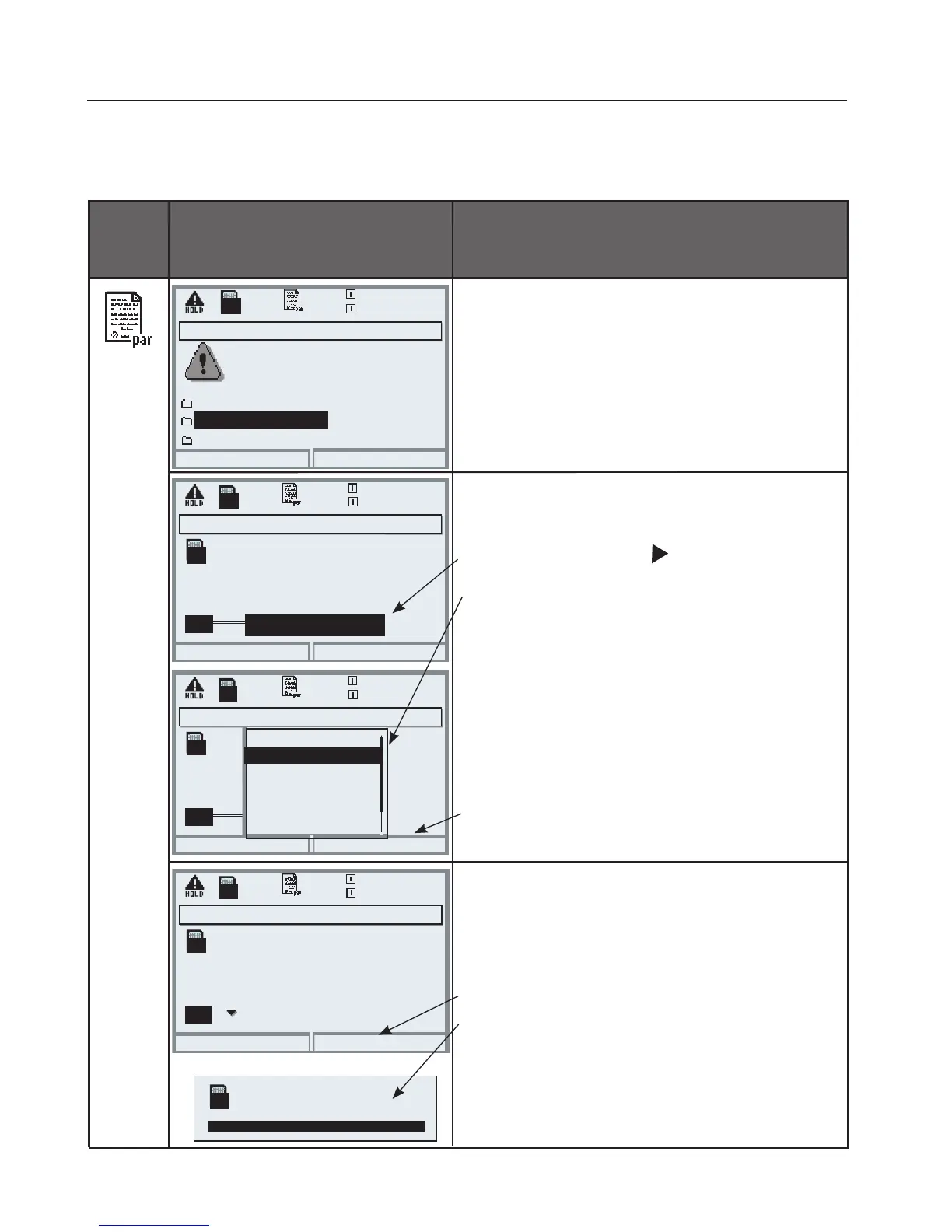
To save firmware
• Insert SmartMedia card
• Open menu selection
• par, Administrator level
• Enter passcode
• System control: Software update
Select a free memory slot on the card:
• Select slot using key
• Select free slot using arrow keys.
• Confirm slot with “OK”.
Start with “Save” softkey.
Confirm finish message
(with “OK” or enter).
Remove the SmartMedia card.
Close the front door.
Software update (Administrator)
Updating will change the
Return
20.4 °C
device characteristics. Perform
verification as appropriate!
Update firmware
Save firmware (Administrator)
20.4 °C
Save firmware
0.003mS/cm
0.003mS/cm
Select a free memory slot
or overwrite a stored
firmware version
Slot
UP
UP
3: <empty>
Return
Save
SMARTMEDIA Card: Saving Firmware
Parameter setting/System control/Software update/Save firmware
UP
Format card
Save firmware (Administrator)
20.4 °C
0.003mS/cm
Select a free memory slot
or overwrite a stored
firmware version
Slot
UP
UP
2: SZ34Z10000/0-V1.4
Return
Save
Save firmware (Administrator)
20.4 °C
0.003mS/cm
Select a free memory slot
or overwrite a stored
firmware version
Slot
UP
UP
Return
OK
2: SZ34Z10000/0-V1.4
3: <empty>
4: <empty>
5: <empty>
6: <empty>
7: <empty>
UP
Save successful



 To Next Page